LS 25 Smart Weight HUD v1.0.0.0
Never have to wonder how heavy your team really is again!
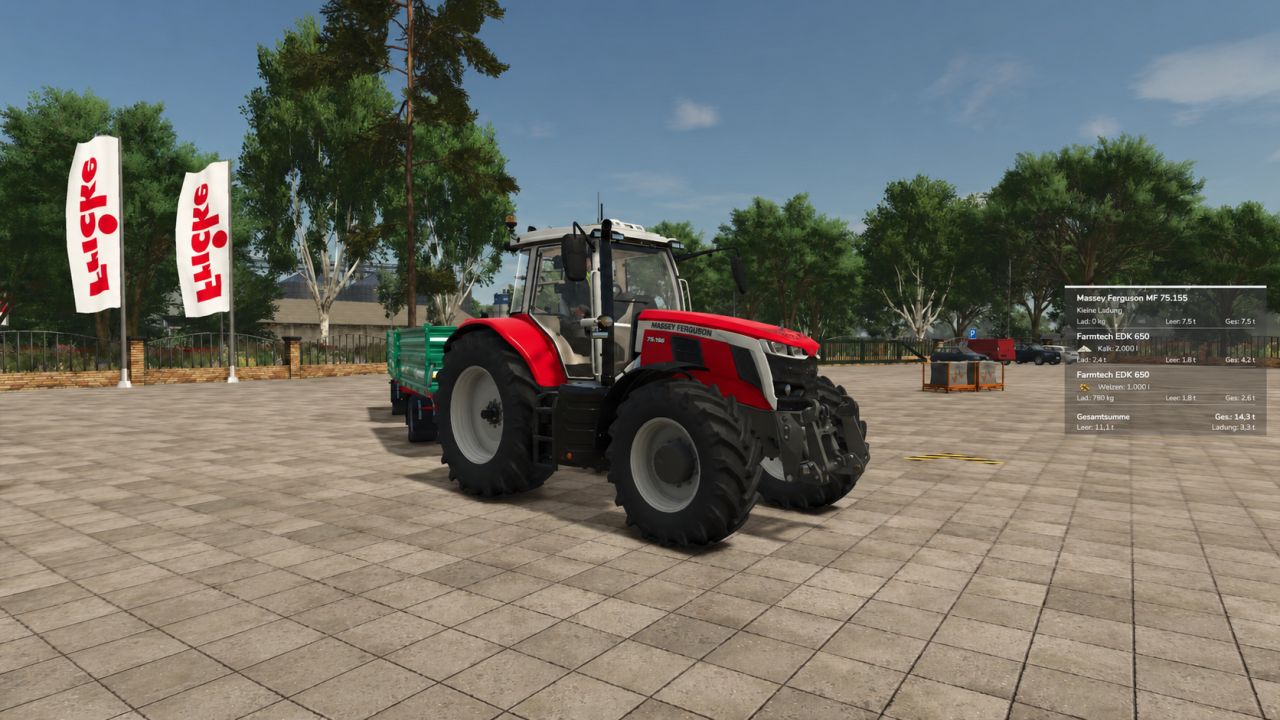
SmartWeight HUD expands Farming Simulator 25 with a compact and clear weight display. While driving, it displays the most important information about the towing vehicle, connected trailers and the entire trailer directly on the screen.
Towing vehicle and each connected trailer are listed individually – with curb weight, load weight and total weight. Fill types, mixed loads, pallets, bales and other objects secured with straps are taken into account. Front attachments are included in the towing vehicle; Tank, water, fuel and service trailers are also supported.
Features
Separate display for towing vehicle and each connected trailer
Display of empty weight, load weight and total weight per vehicle
Calculation of the total weight of the complete vehicle combination
Detection of different filling types and mixed loads
Display of the fill quantity and appropriate fill type symbols
Consideration of pallets, bales and other objects secured with straps
Support for front attachments as well as tank, water, fuel and service trailers
Automatic shortening of long vehicle names
Intelligent weight warning
The total weight of the team is highlighted in color:
Green: vehicle combination without load
White: Weight within normal range
Red: Warning area from 35 tons
Dark red with warning symbol: total weight of the trailer over 40 tons
The color changes smoothly so that critical weights are immediately noticeable.
Customizable HUD
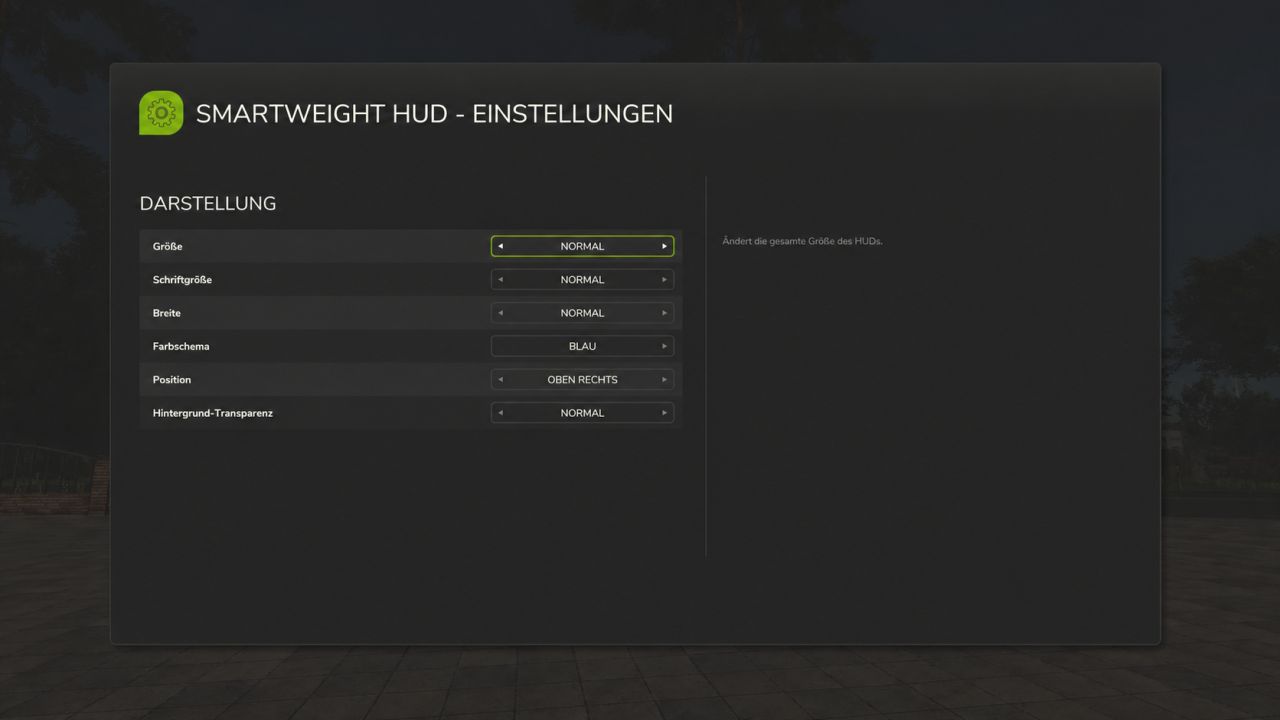
HUD size, font size, display width, background transparency, one of nine screen positions and the color scheme in blue, green, orange, red or gray can be adjusted.
All settings are saved automatically and can be reset to default values at any time.
Key assignment
Left Ctrl + Left Shift + W: Show or hide SmartWeight HUD
Left Ctrl + left Shift + S: Open settings menu
The key assignment can be changed as usual in the game settings.
Public multiplayer test
The mod can be loaded in a multiplayer save and the host test was successful. A test with a second player joining is still pending. Feedback on multiplayer behavior is welcome.
Mod name: SmartWeight HUD
Version: 0.5.1.8
Mode: Public Multiplayer Test
SmartWeight HUD does not change vehicles or their driving behavior. It uses the existing vehicle and load data and displays it clearly in a modern HUD.