LS 25 Realistic Harvesting V1.5.2.0
V1.5.2.0
NEW: Physical Power-Balance Load Engine! Completely eradicated arbitrary static crop factors. Harvester engine load and dynamic speed regulation are now calculated via a true physical power-balance equation: P_total = P_base + P_header(v) + P_process.
NEW: Dynamic Header PTO Querying! Header power consumption is queried directly from attached header XML/powerConsumer specs, naturally pulling underpowered combines down to realistic field speeds when using oversized headers.
NEW: Native Dynamic Yield Scaling (Precision Farming & Custom Maps)! Real-time engine load and speed smoothly adapt to localized yield fluctuations without stuttering or sudden speed drops.
NEW: Field Entry Smoothing! Eliminates aggressive sudden deceleration and torque spikes upon initial cutter contact with dense standing crop.
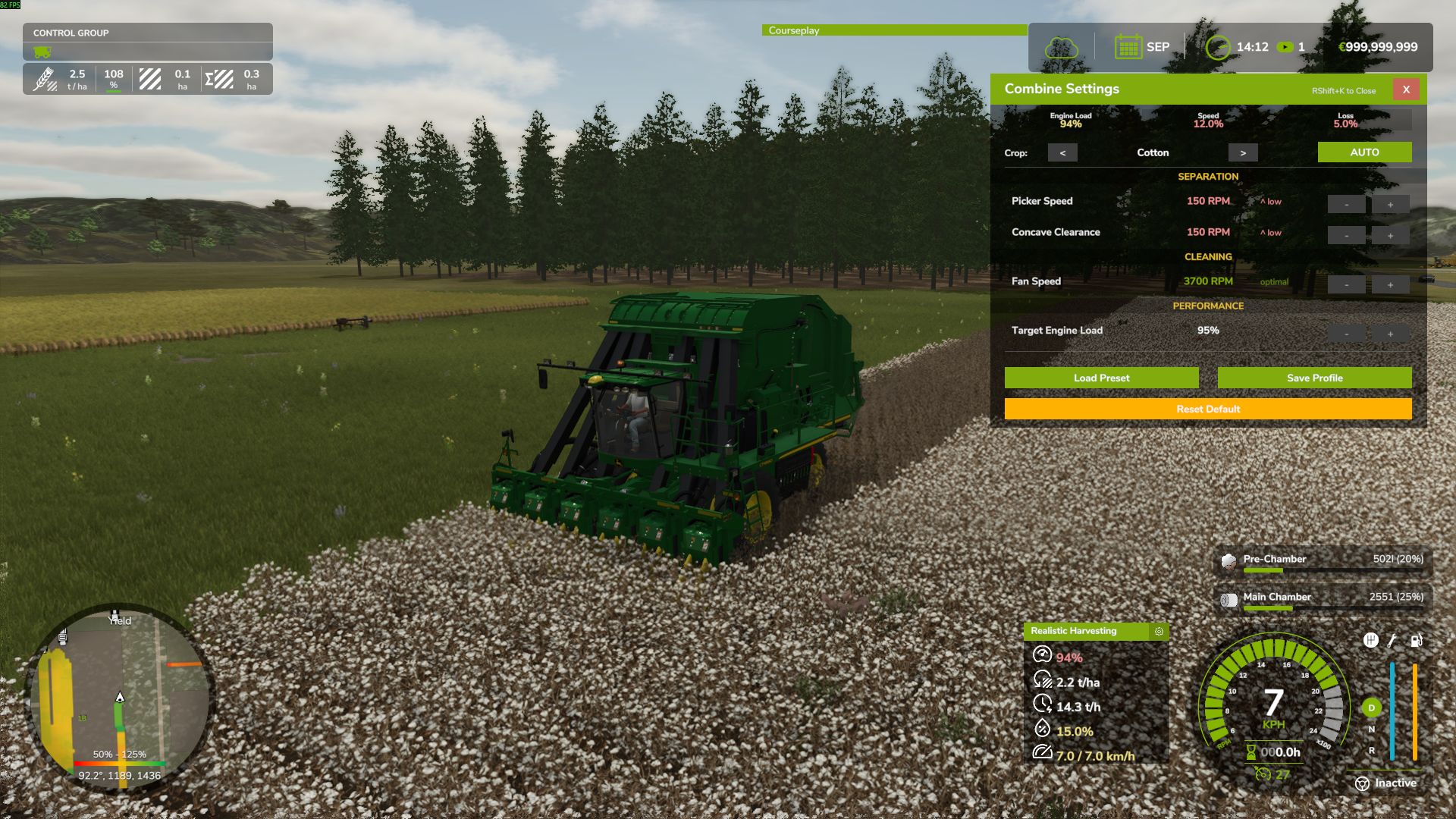
NEW: Dynamic Map Crop Extraction & Localization! The combine calibration menu (`Right Shift + K`) dynamically discovers all active crops present on the map, displaying localized names (`ft.title`) in the player’s language.
NEW: Instant Dynamic Templates for Custom Mod Crops! Map-specific custom crops are automatically classified (`grain`, `root`, `forage`, `cotton`) and assigned realistic physical separation templates on the fly.
NEW: Multi-Tier AI Worker & Courseplay Auto-Tuning! When an AI worker or Courseplay helper operates the combine, settings are automatically tuned according to the installed RHM Electronics Tier (Tier 1: ±18%, Tier 2: ±10%, Tier 3: ±4%, Tier 4: 0% + active auto-trim).
NEW: Player Saved Profile Priority for AI/Courseplay! Hired helpers and Courseplay automatically load the player’s custom saved crop profile (`profiles.xml`) if one exists.
NEW: In-Cab Calibration Menu During AI/Courseplay! Players can now open and adjust the combine calibration menu (`Right Shift + K`) while an AI helper or Courseplay is actively driving.
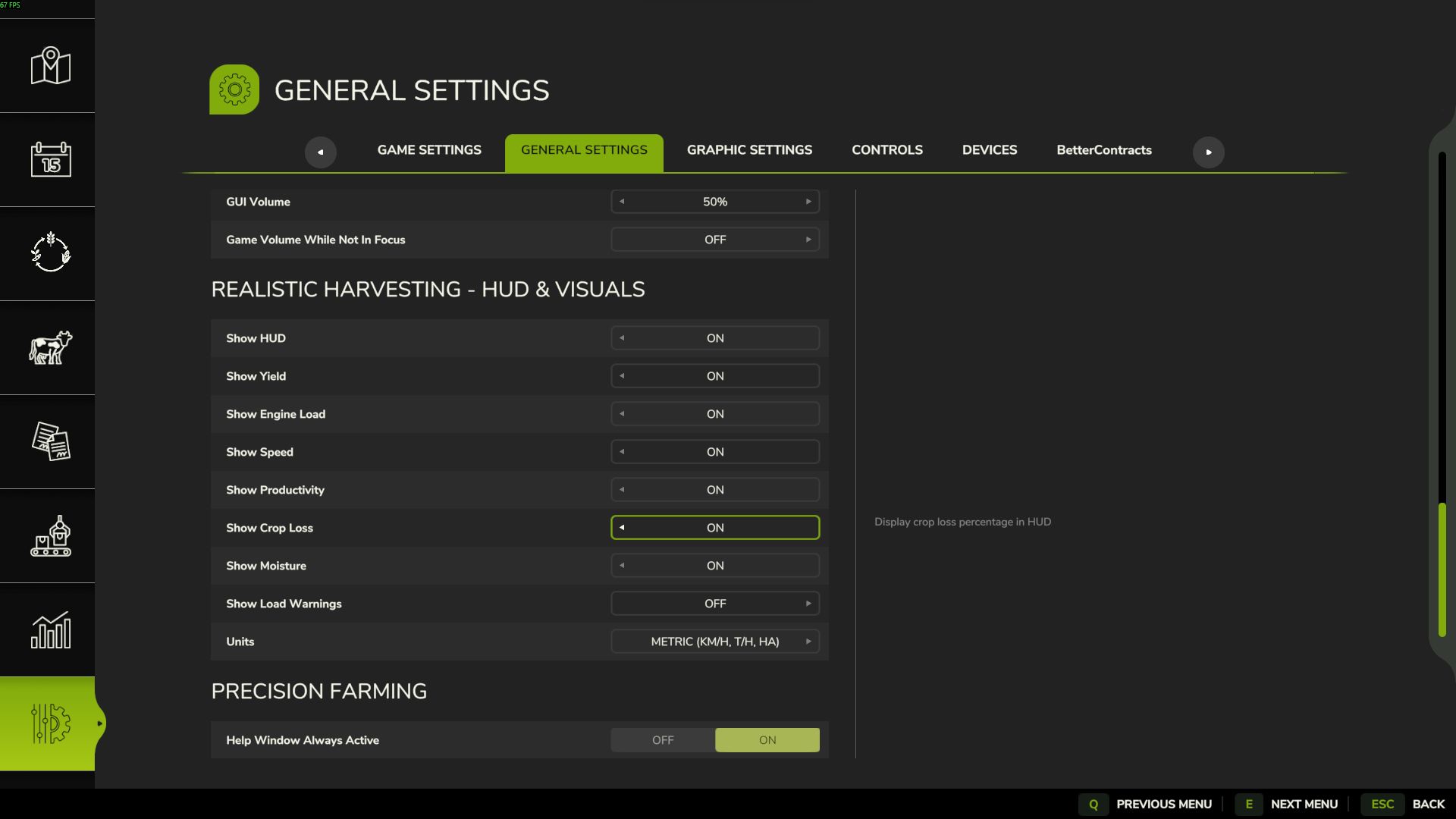
NEW: Hotkey Toggle for HUD! Added `Right Shift + H` shortcut to quickly toggle the telemetry HUD overlay.
FIXED: Savegame Persistence! Active combine calibration sliders, chosen crop, and target engine load are permanently saved to and restored from `vehicles.xml`.
FIXED: Multiplayer & Dedicated Server Sync! Complete vehicle isolation ensures other players’ settings never interfere. Added seamless client-to-server profile synchronization when AI operates on dedicated servers.
FIXED: Courseplay Compatibility! Resolved header launch, cutter lowering, and speed enforcement checks specifically for Courseplay operators.
FIXED: Thresher Stop Animation! Fixed a variable reference typo in `stopThreshing`, restoring the reverse thresher stop animation.
FIXED: Camera Lock Conflict! Completely eliminated camera rotation/zoom lock issues with Courseplay and AutoDrive.
OPTIMIZATION: Performance & Anti-Stutter Polish! Replaced memory sliding windows with flat O(1) ring buffers, throttled vehicle hierarchy searches (250ms), and cached map pixel ratios to eliminate micro-stutters and GC pressure.
Realistic Harvesting for FS25
Transform your harvesting experience into true agricultural simulation! Combines can no longer unrealistically sprint at full speed through dense crops without consequences. Working speed, engine load, and yield efficiency are dynamically driven by crop density, cutting width, moisture, and your machine’s mechanical calibration.
Key Features
Physics-Based Engine Load & Speed: Ground speed dynamically adapts based on harvested crop mass (t/h), header width, and vehicle horsepower. Overloading the engine or using incorrect settings results in real grain loss.
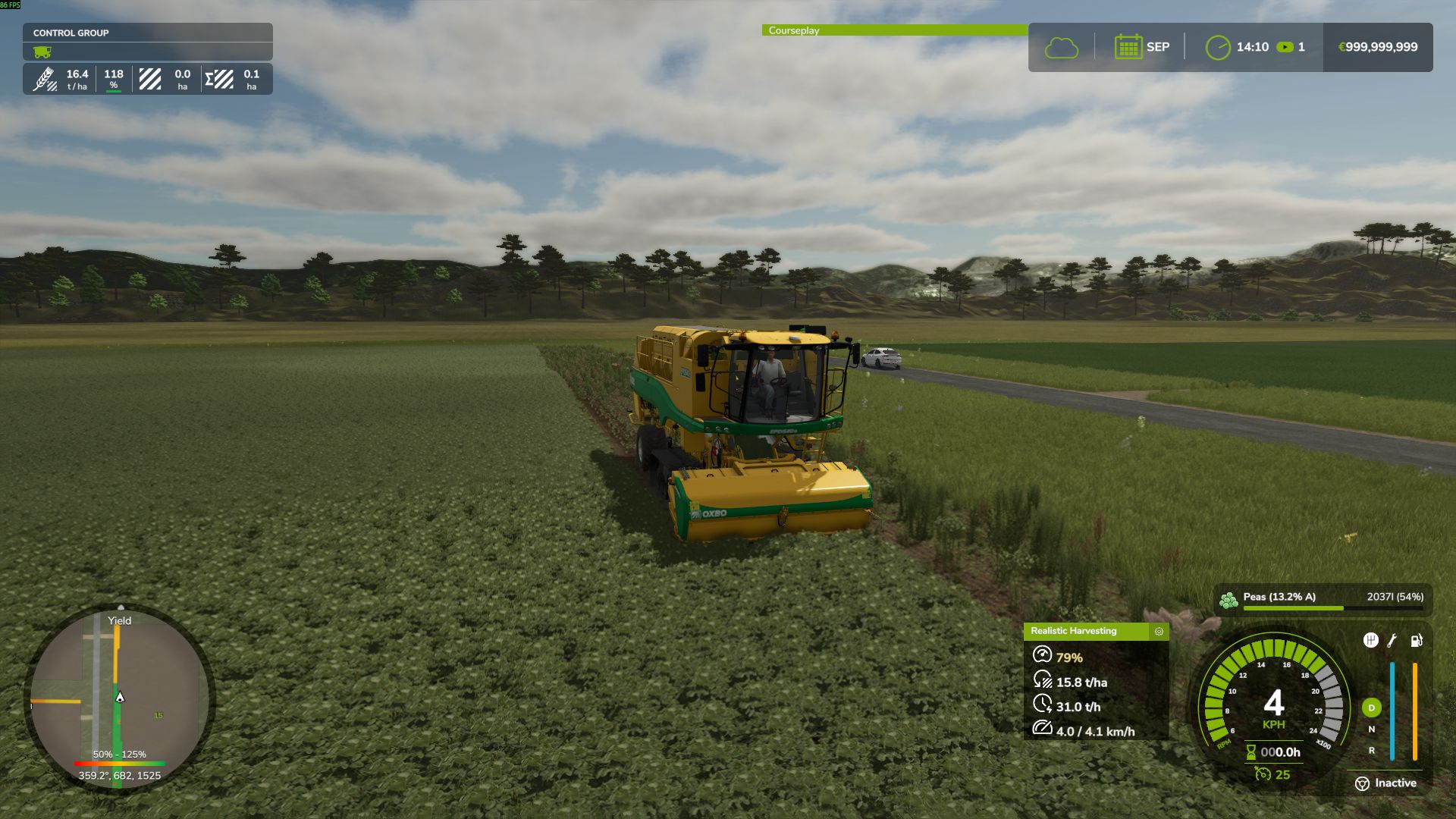
All Machine Types Supported: Fully calibrated physics for Grain Combines, Forage Harvesters (chaff/silage), Root & Vegetable Harvesters (potatoes, beets, carrots, parsnips, spinach, peas), Cotton, and Sugarcane.
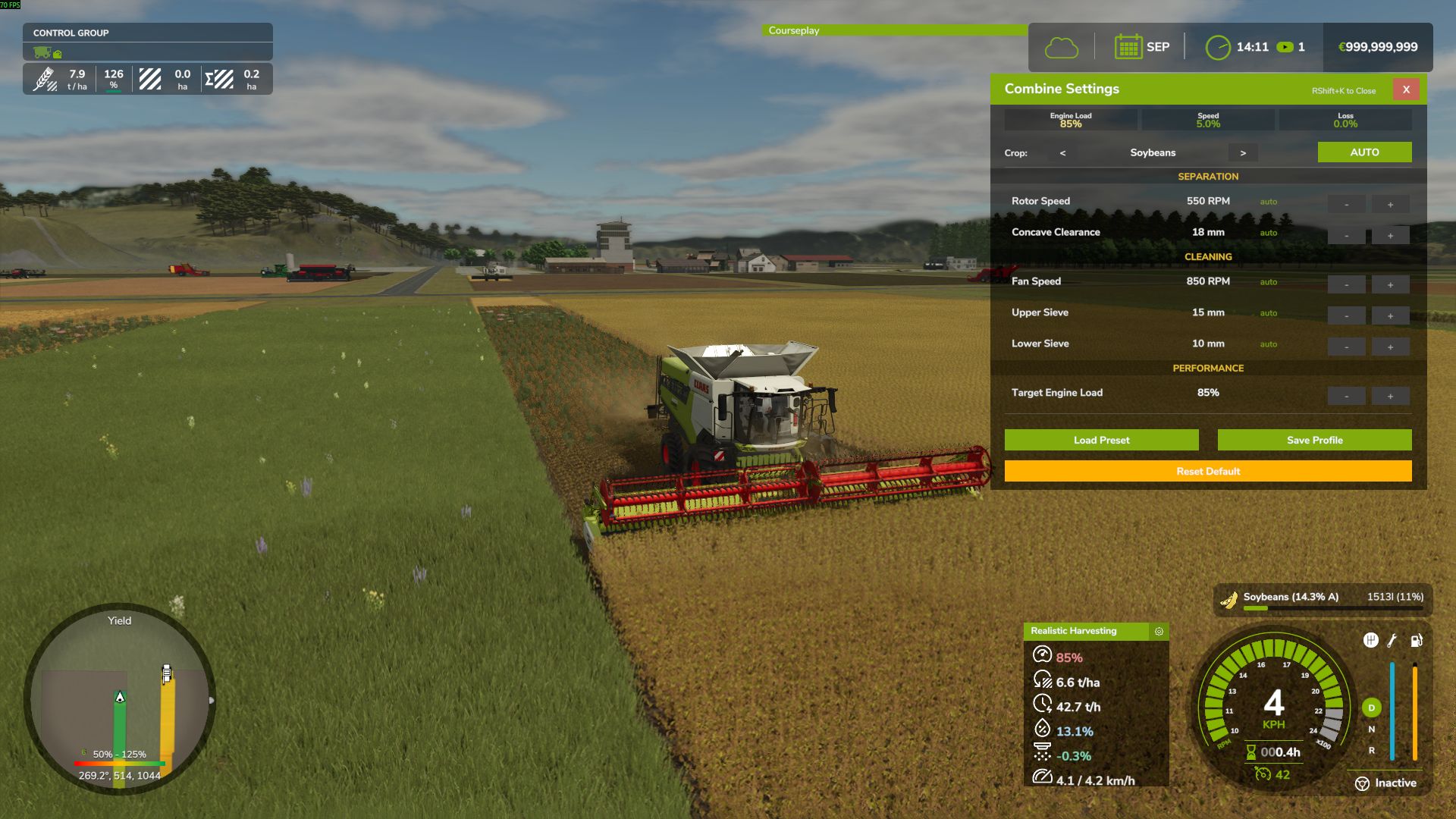
Interactive Combine Calibration (`RShift + K`): Calibrate Rotor/Drum RPM, Concave Clearance, Fan Speed, and Sieves for each crop. Correct settings ensure maximum yield and minimum loss.
Workshop Upgrade Packages (Tiers 1–4): Upgrade your combine at the shop:
Level 1 (Standard): Fully manual operation.
Level 2 (Sensor Kit): Displays calibration guidance hints (low / optimal / high).
Level 3 (Yield Monitor): Real-time yield (t/ha, bu/ac), area rate (ha/h), and moisture telemetry.
Level 4 (Opti-Harvest AI): Automatic settings calibration and automated speed management.
AI & Courseplay Compatibility:** AI helpers and Courseplay workers automatically utilize your saved profiles or optimal calibrations.
Draggable HUD: Clean, movable on-screen display showing live Engine Load, Productivity (t/h, ha/h), Crop Loss %, and Moisture.
Global Crop Profiles: Save your favorite tuning once — profiles automatically load across your combines and savegames.
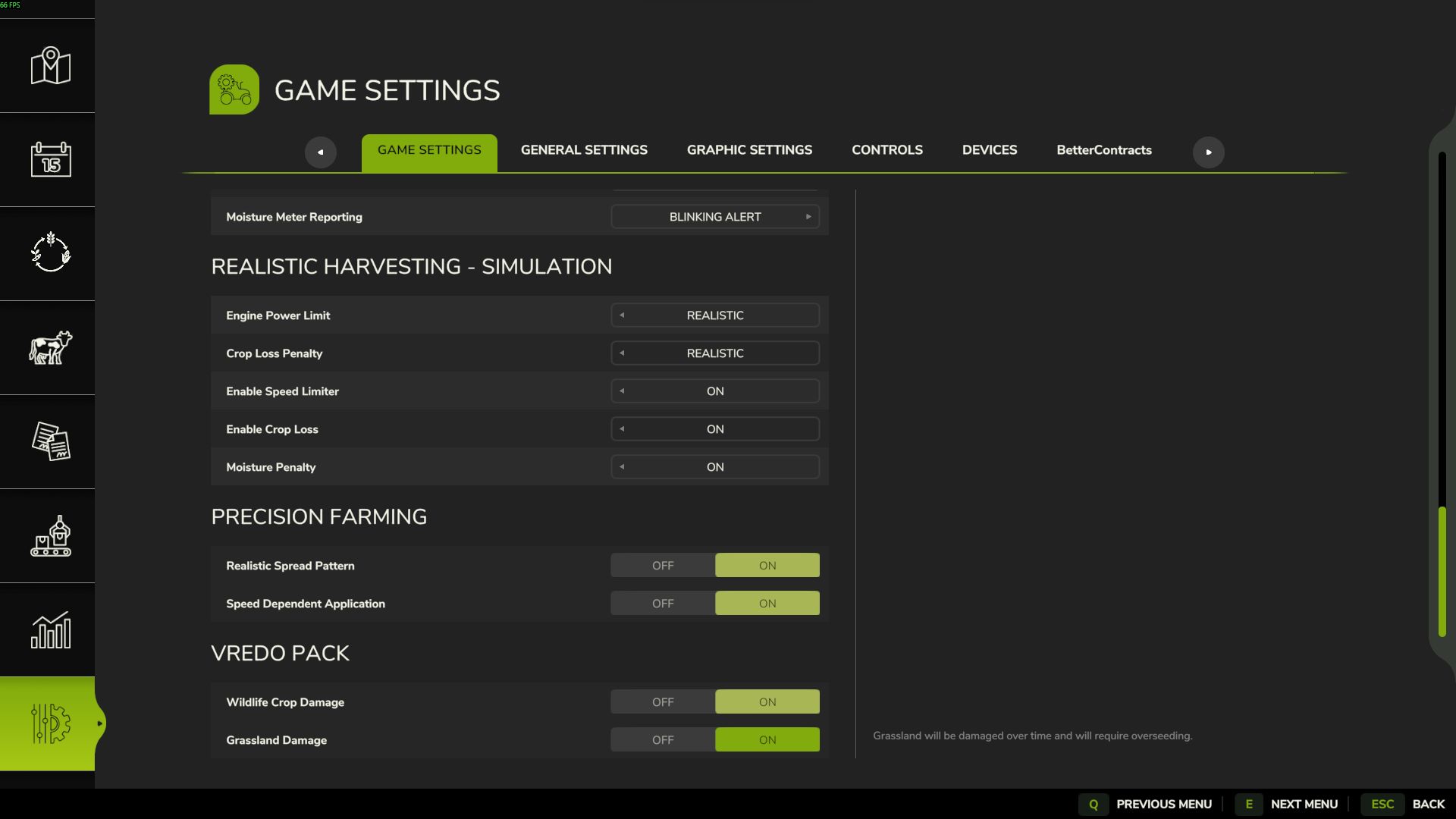
3 Difficulty Modes (ESC Settings): Choose between Arcade (relaxed), Normal (balanced), or Realistic (strict physical limits and penalties).
Multiplayer & Dedicated Server Note
Please Note: Multiplayer synchronization has been completely overhauled in the latest update. However, this latest version has not yet undergone extensive testing on live Dedicated Servers.
While fully supported, please test cautiously when running on production dedicated servers, and feel free to report any sync observations or issues on GitHub or Discord!.