
LS 25 Parking Break Mod v1.0.0.0
Just a Parking Brake
I wanted a working parking brake in Farming Simulator 25, but I didn’t need all the additional features that come with larger vehicle mods such as Enhanced Vehicle or Realistic Gearbox. Those are great mods if you want the full package—I just wanted a parking brake.
So, I decided to make a small standalone mod that does one job: it gives your vehicle a working parking brake.
Press Numpad Enter to apply it, press it again to release it, and get back to farming.
Features
Working parking-brake physics that holds the vehicle in place
Separate engagement and release sounds
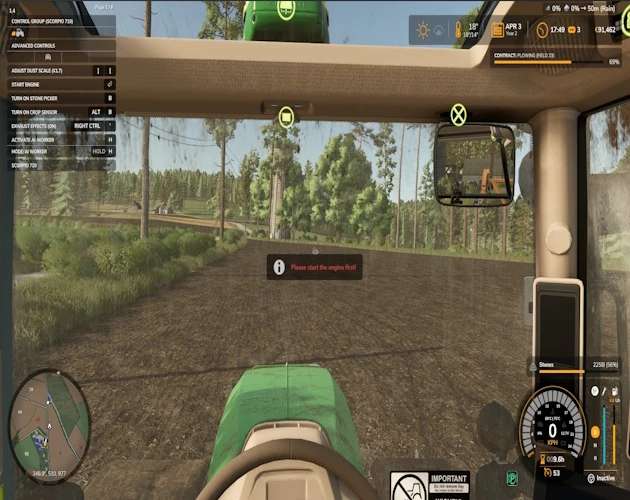
HUD icon showing whether the brake is applied
Smaller 40×40-pixel HUD indicator
Movable HUD icon with a saved position
Support for standard wheeled and tracked vehicles
Automatically releases and bypasses the brake for AI workers
Follow Me compatibility
Rebindable controls through the game’s control settings
Has been ran through test runner
Mod Compatibility
The Parking Brake Mod works alongside:
Mud Physics
Deeper Ruts
ADS
Follow Me
Base-game AI workers
It can be used with these mods without replacing or interfering with their features.
Running this mod alongside another mod that also controls the parking brake is not recommended. Using multiple parking-brake systems at the same time may cause the controls or brake physics to overlap.
Default Controls
Numpad Enter: Apply or release the parking brake
Left Alt + P: Enter or exit HUD layout mode
Left Mouse Button: Drag the icon while layout mode is active
Right Mouse Button: Save the icon position and exit layout mode
All controls can be changed through the game’s control settings.
Installation Instructions
Download FS25_ParkingBrakeMod.zip.
If you have an older version installed, remove the old Parking Brake ZIP first.
Place the new ZIP file into:
Documents/My Games/FarmingSimulator2025/mods
Do not unzip the file.
Start Farming Simulator 25 and select your save.
Make sure Parking Brake is enabled in the downloadable content list.
Load your save and press Numpad Enter to apply or release the brake.
Important Notes
Multiplayer is not currently supported.
This mod is intended as a focused alternative to the parking-brake systems included with larger vehicle-overhaul mods.