LS 25 HUD+ V1.0.0.0

LS 25 Other


LS 25 HUD+ V1.0.0.0

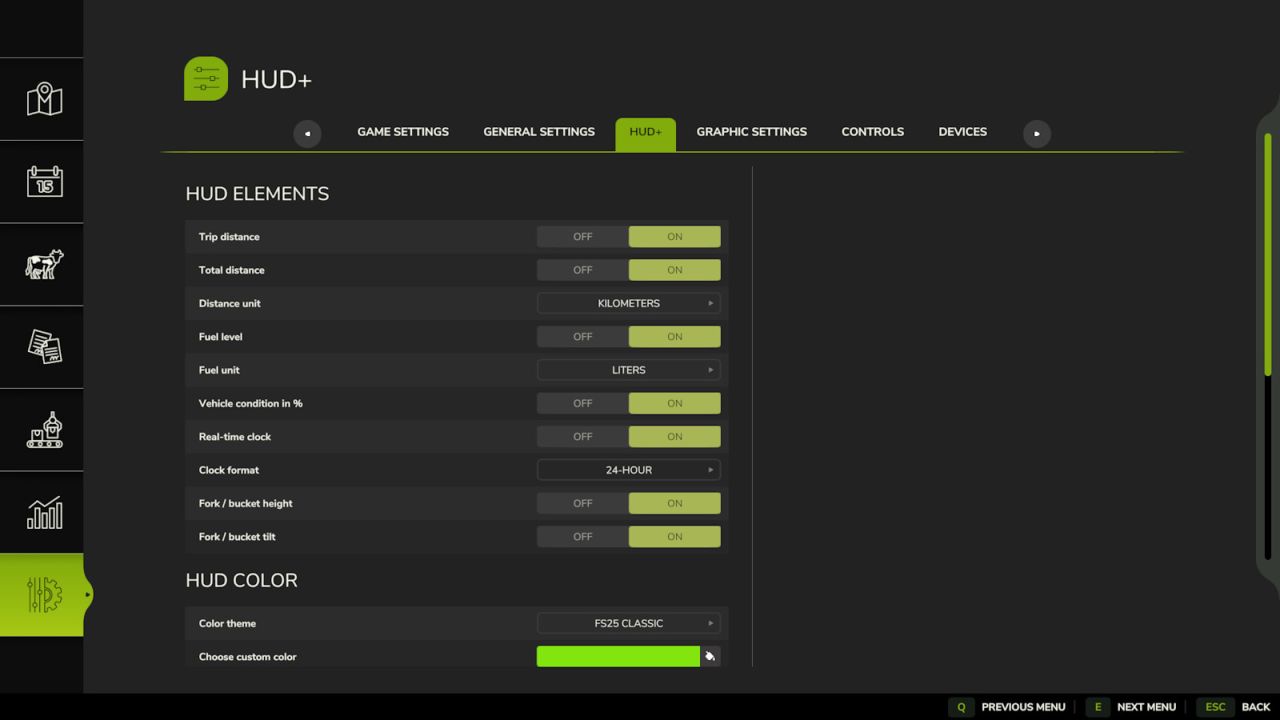
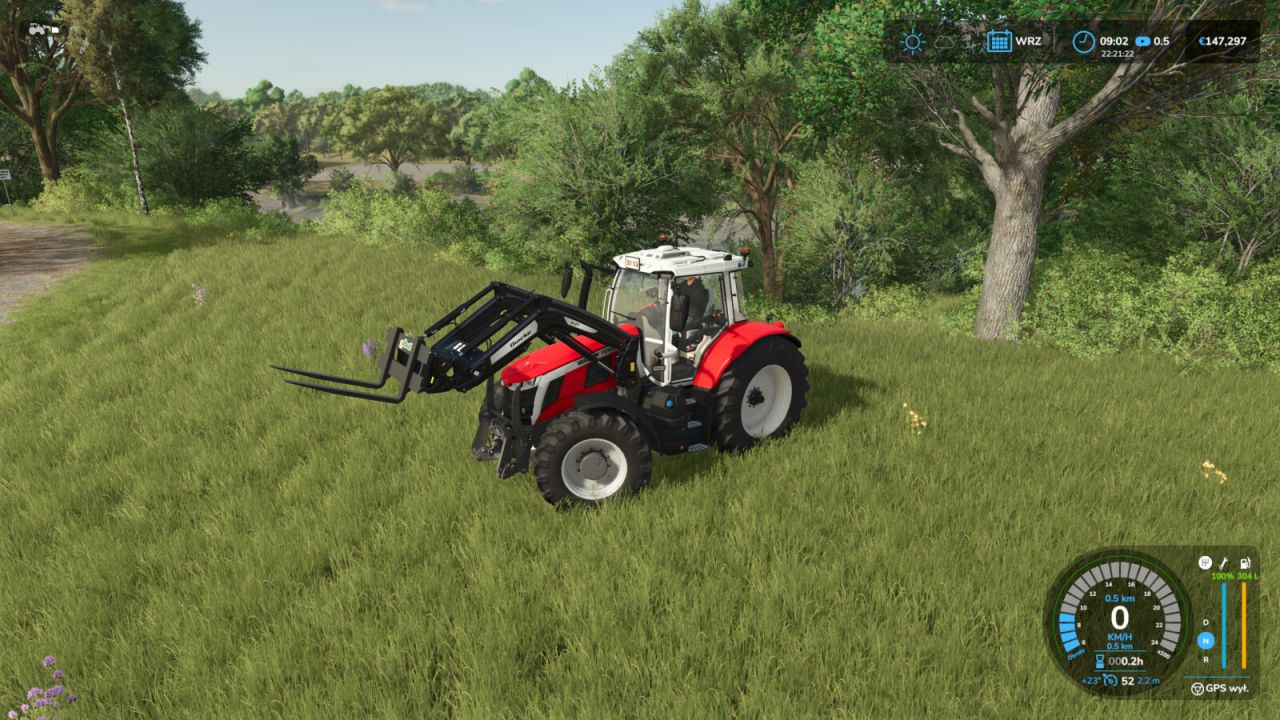
HUD+ expands the original Farming Simulator 25 interface while preserving the game’s visual style.

Features:
– trip distance and permanently stored vehicle total distance,
– fuel or battery level,
– vehicle condition percentage,
– real-time clock,
– loader tool height and tilt indicators,
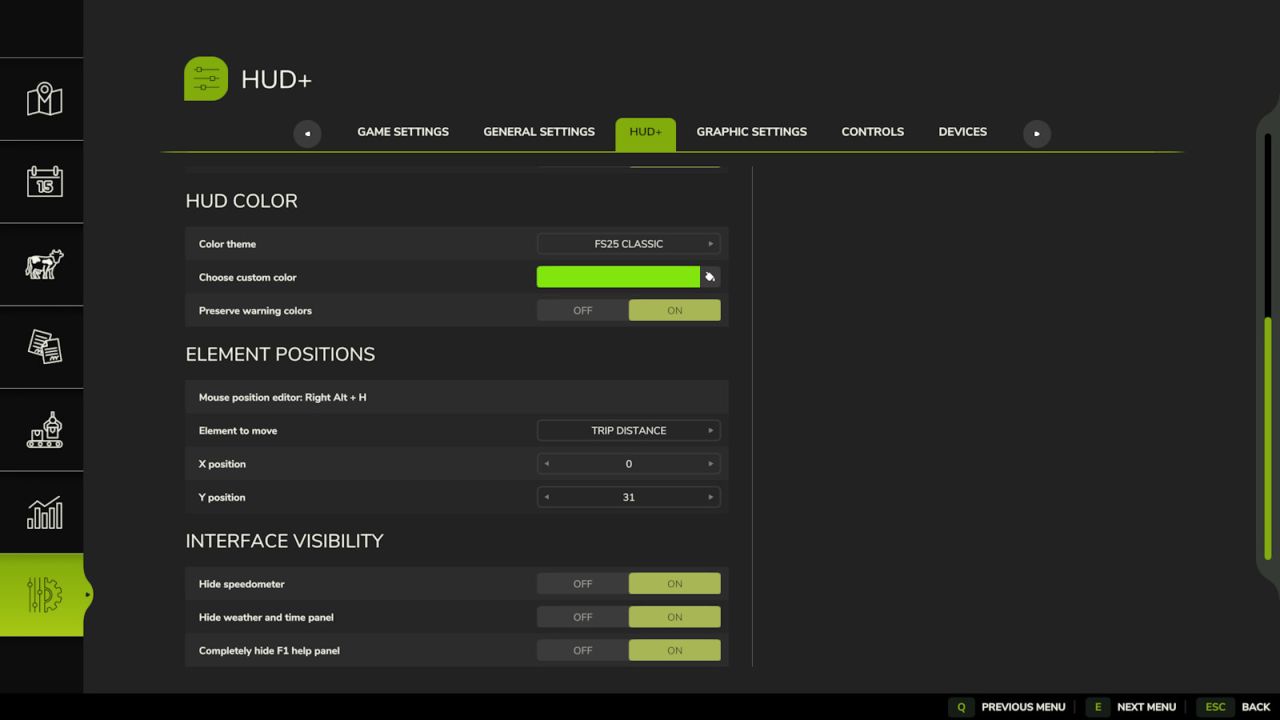
– options to hide the speedometer, top information panel and F1 help,
– ready-made color themes and a custom HUD color,
– mouse-controlled HUD position editor.

HUD+ settings are available in the ESC pause menu under Settings.

Reset trip distance:
Right Alt + period

HUD editor:
Right Alt + H

Credits:
Biaaly_
1 Star2 Stars3 Stars4 Stars5 Stars (No Ratings Yet)


Why to use Farming Simulator 19 mods | Farming Simulator 22 mods?
Even though Farming Simulator 2019 / Farming Simulator 2022 is a great game, you can make it even more astonishing by installing Farming Simulator 19 mods / Farming Simulator 22 mods. There are plenty of mods for every part of the game so you can change or integrate whatever you like. All the FS 19 mods / FS 22 mods are absolutely costless, so you won’t spend anything trying to change the game according to your own wishes. Our main goal is to keep Farming Simulator 19 / Farming Simulator 22 community happy where everyone has a possibility to implement their ideas and enjoy playing a perfect game. If something looks disturbing, bothers you or maybe you just need to integrate more tools and supplements, simply use FS 2019 mods / FS 2022 mods. Not many games provide an opportunity to change it by individual needs, but Farming Simulator is different. You can do whatever you want just by installing LS 19 mods/ LS22 mods so it’s time for you to take action and fulfill even craziest ideas!


You may also like...

Leave a Reply