LS 25 HUD Select V1.0.0.0
HUD Select allows you to independently choose which elements of the game interface will be displayed on the screen. Disable unnecessary panels, free up your view, and customize the HUD to suit your playstyle: for field work, first-person travel, screenshots, or cleaner, more realistic gameplay.
The mod works both on foot and in vehicles.
Mod features
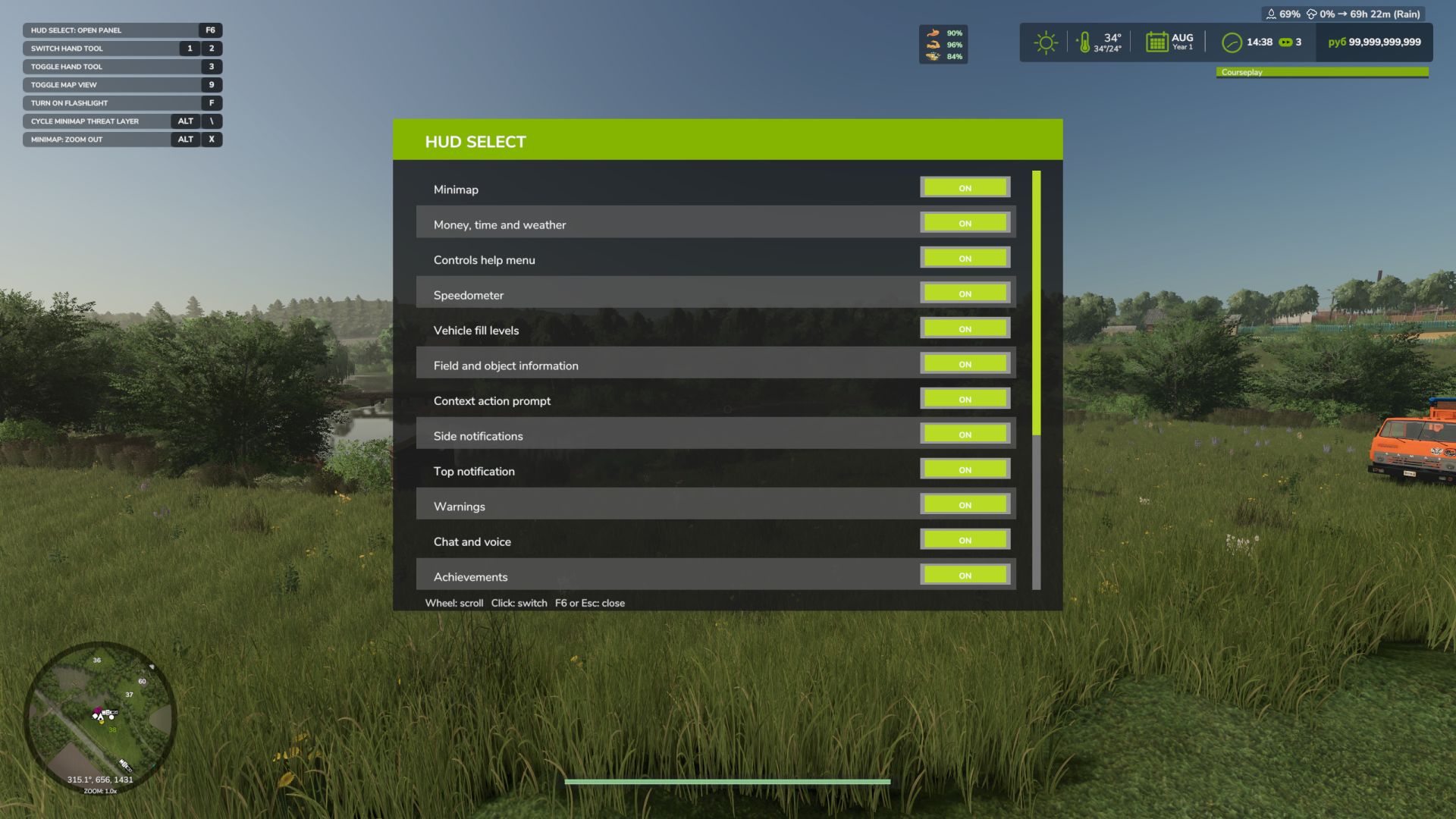
Using a convenient settings panel, you can separately turn on and off standard game HUD elements:
minimap;
block of money, time and weather;
control hint menu;
speedometer;
equipment filling levels;
information about the field and objects;
contextual actions;
side notifications;
top notifications;
warnings;
chat and voice communication;
achievements;
game messages;
name of the technique.
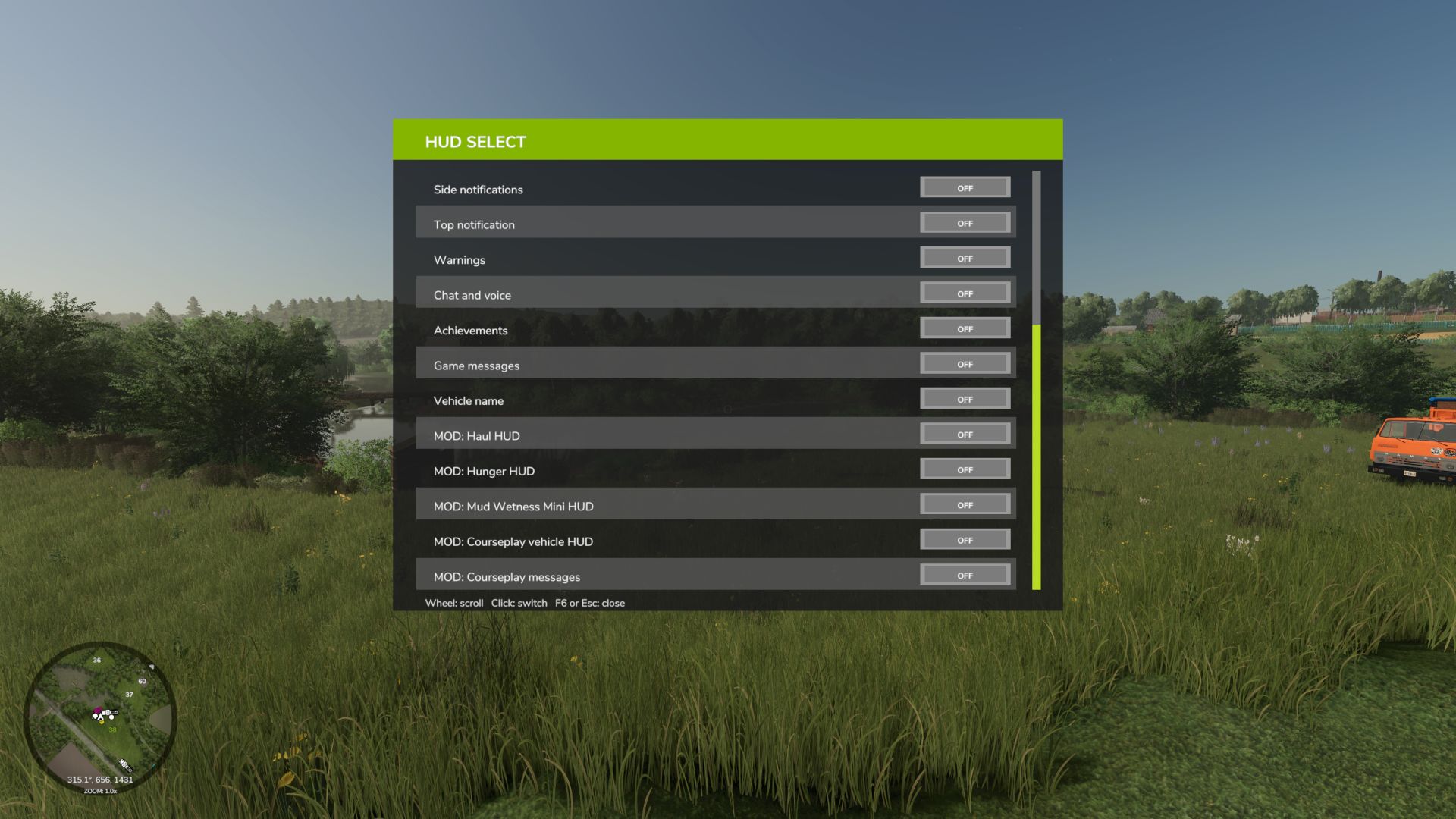
The panel supports a scrollable list, so all elements are conveniently collected in one place and do not take up unnecessary space on the screen.
HUD support for other mods
HUD Select can find and add to its list some interface panels of third-party mods. For supported HUDs, you can also separately turn on and off the display through the general settings panel.
Currently, support is provided for, among other things:
Live Farmer HUD;
Mud Wetness Mini HUD;
Haul Counter HUD;
Soil Fertilizer HUD;
Courseplay Vehicle HUD;
Courseplay Messages.
Support for other modded HUDs may be expanded in future versions.
Management
F6 – open or close the HUD Select panel.
Esc – close the HUD Select panel.
Left mouse button – turn on or off the selected interface element.
Mouse wheel – scrolls the list of elements.
The panel open key can be reassigned in the standard game control settings.