
LS 25 Farm Manager BETA v1.0.0.0
Here is the first public alpha build of Farm Manager. I put the mod up for discussion some time ago, now it’s ready for me to release it with a clear conscience – with the explicit note that it’s an alpha.
For the best experience, please name the AD field point according to the pattern Field 1… or Field 1…
What is it about?
The Farm Manager is a central order management system. AutoDrive and Courseplay can both drive and work excellently – what I was missing was the level above. So not “how does this vehicle drive”, but rather “who should actually do what and in what order”.
The basic rule in the mod:
The farm manager decides WHO should do WHAT. Courseplay and AutoDrive decide HOW you drive and work.
There is deliberately no own path finding, no own driving physics and no own transport logic. Everything runs via the existing APIs of the two mods, each encapsulated in an adapter.
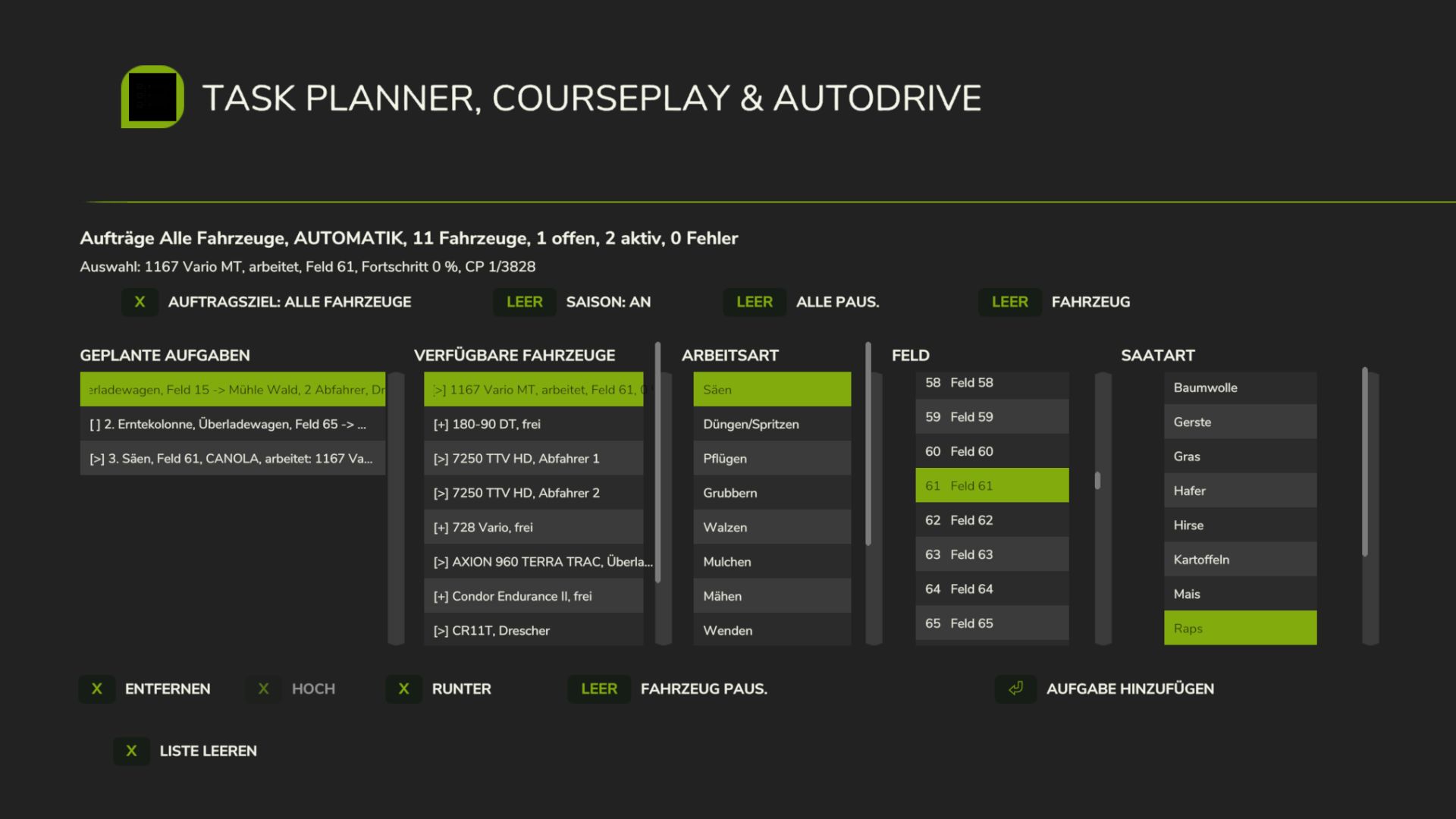
You create an order, for example “Sowing field 12 with wheat”. The mod looks for a suitable free vehicle, sends it to the field via AutoDrive, lets Courseplay generate the course and do the work and then sends it back to its personal AutoDrive parking space.
What’s inside
Order management
Central job list instead of vehicle-related individual orders
Virtual group “All vehicles”, plus any of your own vehicle groups
Continuously running scheduler that distributes open orders itself
The order of the orders can be moved
Pause and Resume, with Courseplay continuing from the last waypoint
Additionally, a personal queue for each vehicle, separate from the central list
13 work types: sowing, fertilizing/spraying, cultivating, plowing, rolling, mulching, mowing, turning, swathing, removing weeds, collecting stones, transport, harvesting crew.
Vehicle selection
suitability is assessed based on the actual trailer attached, not on a configuration that you have to maintain somewhere
a device change is automatically recognized
Integrated fertilization on the seed drill does not mistakenly turn it into an independent fertilizer vehicle
Seasonal consideration when sowing
Harvest column A coherent job with several roles, in two variants:
Overloading wagon: a thresher, a real overloading wagon in Courseplay thresher-unloading mode, plus 1 to 8 drivers who rotate between the field and the dumping point using AutoDrive “Pick-up and Delivery”.
Direct driver: a thresher and 1 to 8 normal tractor-trailer combinations without transfer wagons. They drive to the field using AutoDrive, work there themselves with Courseplay thresher unloading, drive full to the dumping point using AutoDrive and come back empty.
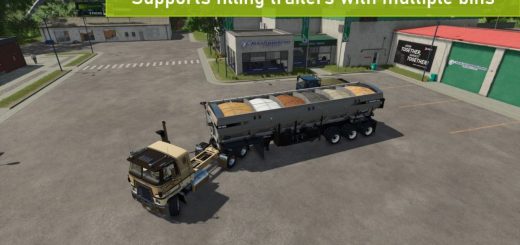
Transport charging point, destination point, crop type. Several compatible teams can process the same transport order in parallel. If the source is empty, no new vehicles are sent; those that are already loaded complete their last load.
Saving and loading Current orders including the entire harvesting crew survive saving and loading. The Drescher continues on the existing course play course instead of starting from the beginning. Only Farm Manager states and persistent vehicle IDs are saved, no AutoDrive or Courseplay internals.
Multiplayer server implemented authoritatively and tested up to the last stage of expansion: the server is the only source of truth, clients receive a court-filtered snapshot plus deltas and only send back verified operating intentions. Changing farms, disconnecting and rejoining are covered. Nevertheless, in multiplayer this is the least played path and this is where I expect the most surprises. If you test, please use log.
Requirements
AutoDrive mandatory
Course play mandatory
Without both of them nothing works. It was developed and tested against exactly these versions; other stands may work, but are untested.
In order for a job to even start, you need an AutoDrive network that reaches the goals and a named field marker for each field. What it should be called is written below – this is the point at which most orders failed in my own tests, so please read carefully.
What you need to know before you start
It’s an alpha.
The detailed diagnostic output is off by default so that your log.txt remains readable. For a reproducible error report, you can set DEBUG_LOGGING to true in scripts/core/TaskPlannerConstants.lua and recreate the case again.
Please report errors with: map name, AutoDrive and Courseplay version, what you created, what happened, and the log.txt.
What is still missing or planned: order dependencies (“only sow when harvested”), crop rotation over the seasons, multiple selection of fields, real order history, automatic replacement for a permanently broken down vehicle.The sore point: error cases
The process is running. As always, the devil is in what happens when something goes wrong. A downhill driver who gets stuck shouldn’t stop the entire column – there’s a role-local recovery for that, but that’s exactly the part that I was able to test the least widely. If you notice something, that is the most valuable feedback to me.
Many greetings, Ole
Required mods:
CoursePlay
Autodrive