LS 25 Factory weekly schedule V2.5.0.0
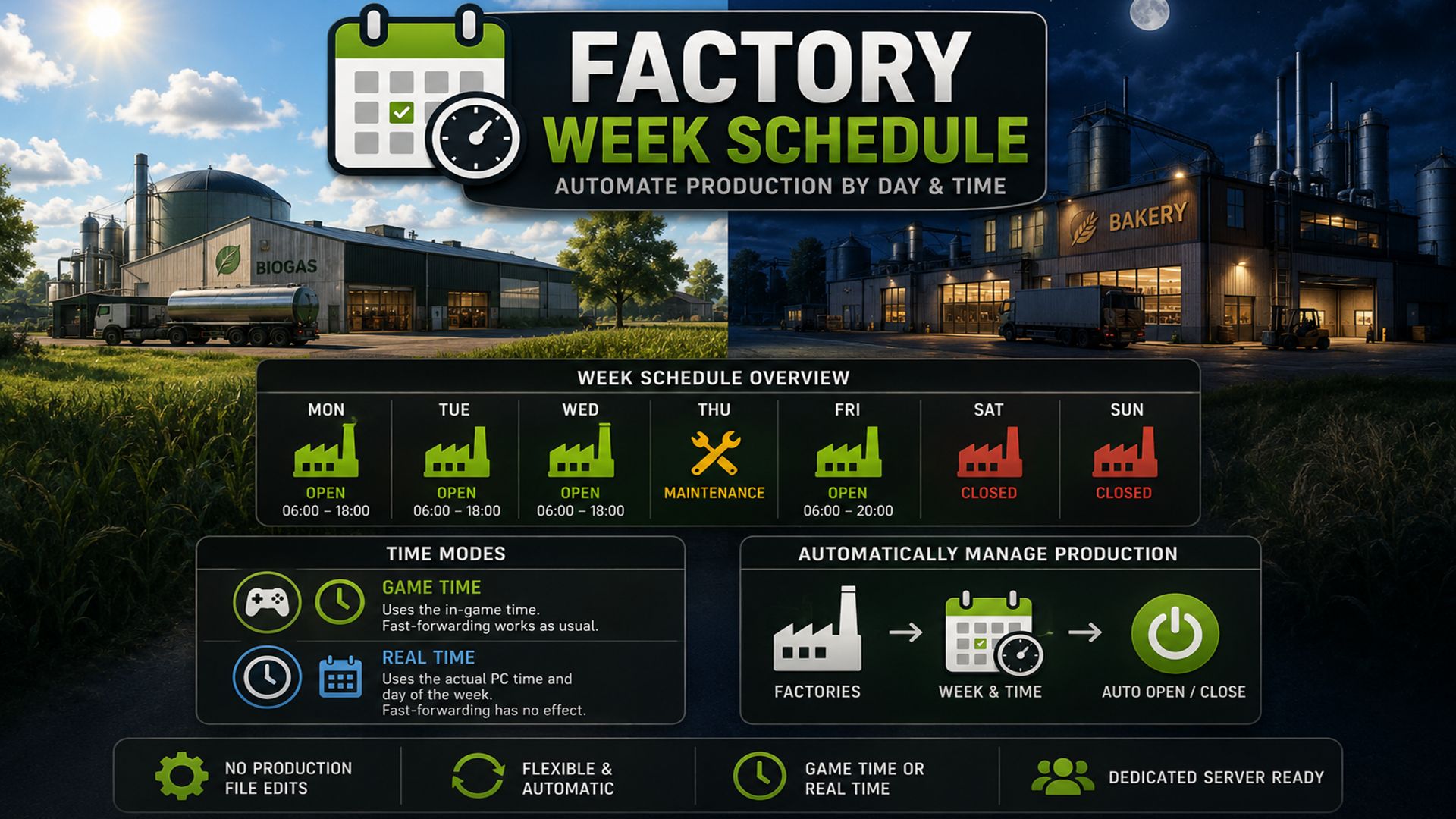
Controls production chains according to days of the week and times of day. Factories can be opened or closed automatically without having to change production files.
The mod supports two time modes:
Game Time : Use the normal game time. Fast-forwarding works as usual.
Real-time : Uses the actual PC time and day of the week. Fast-forwarding the game time has no effect on production times.
The time mode can be changed in the modSettings XML .
<factoryWeekSchedule>
<timeSystem mode=”game” />
</factoryWeekSchedule>
or
<factoryWeekSchedule>
<timeSystem mode=”realtime” />
</factoryWeekSchedule>
V2.5.0.0
Major FarmOS production update
Factory plan fully extended to include the FarmOS production center
Existing opening hours will remain fully unchanged.
The production overview now only shows the productions of the current farm.
Incorrect totals due to external map productions corrected
Direct display of inputs and outputs per production is added.
Current stock levels are displayed in liters and percentage.
Support for LS25 ProductionPoint storage and different mod production structures has been extended.
Production lines are individually identified and displayed.
Detailed view expanded for each factory
Display of:
Production status
Opening hours
Input raw materials
Output products
Storage levels
Production lines
staff
Efficiency
Personnel costs
events and disturbances
New status logic
Red is only used in cases of genuine, acute problems.
Missing materials are only reported if production is actually scheduled to begin.
Productions outside of opening hours no longer generate false material warnings.
Company holidays no longer generate false error states
Inactive production lines are displayed neutrally.
Empty outputs when production is switched off are no longer automatically considered a problem.
Full warehouses can still serve as a useful indicator of shipment.
Material problems, scarce raw materials and inactive production facilities are evaluated separately.
New personnel system
Staff are no longer created on a flat-rate basis for every production.
Automated and passive systems are now detected separately.
For example, the following systems can be operated automatically without personnel:
Manure pits
composter
incubators
Storage
Silos
Tanks
Pumping systems
Energy systems
Automated systems are maintained:
no artificial number of employees
no personnel costs
no understaffing warning
No sick leave or vacation notifications
Genuine processing plants retain their existing staffing systems, e.g.:
Dairies
Butter production
Mills
Bakeries
Slaughterhouses
Sawmills
Detailed view now shows “Operating mode & production lines” for automated systems
The status indicator identifies such facilities as “Automated Plants”.
FarmOS integration
FarmOS interface for production data significantly expanded
Quick overview supplemented with input/output count
Production status and operating mode are transmitted directly to FarmOS
New foundation created for intelligent FarmOS recommendations
References to:
missing raw materials
limited input
full starting camps
Understaffing
Disturbances
fires
Custom FactoryWeekSchedule HUD displays are disabled by default when using FarmOS.
Removed old FarmOS/FWS translation collisions
Maintain integration for single-player, multiplayer, and dedicated servers
Technical improvements
Input/output detection made more robust for different LS25 and mod productions
Support for production.inputsand production.outputsexpanded
Added support for ProductionPoint input/output fill types
Storage capacities and current fill levels are read directly from production.
Fixed a bug in the recognition of certain recipe structures
Production classification expanded for different maps and mod productions
Existing save game settings and opening hours remain compatible
Version 2.5.0.0 is therefore the major update from a simple weekly/opening schedule to a complete production management system within FarmOS.
Required mods:
FarmOS