LS 25 Daily finances V1.0.0.0
Daily Finances – Daily Ledger and Monthly Summary
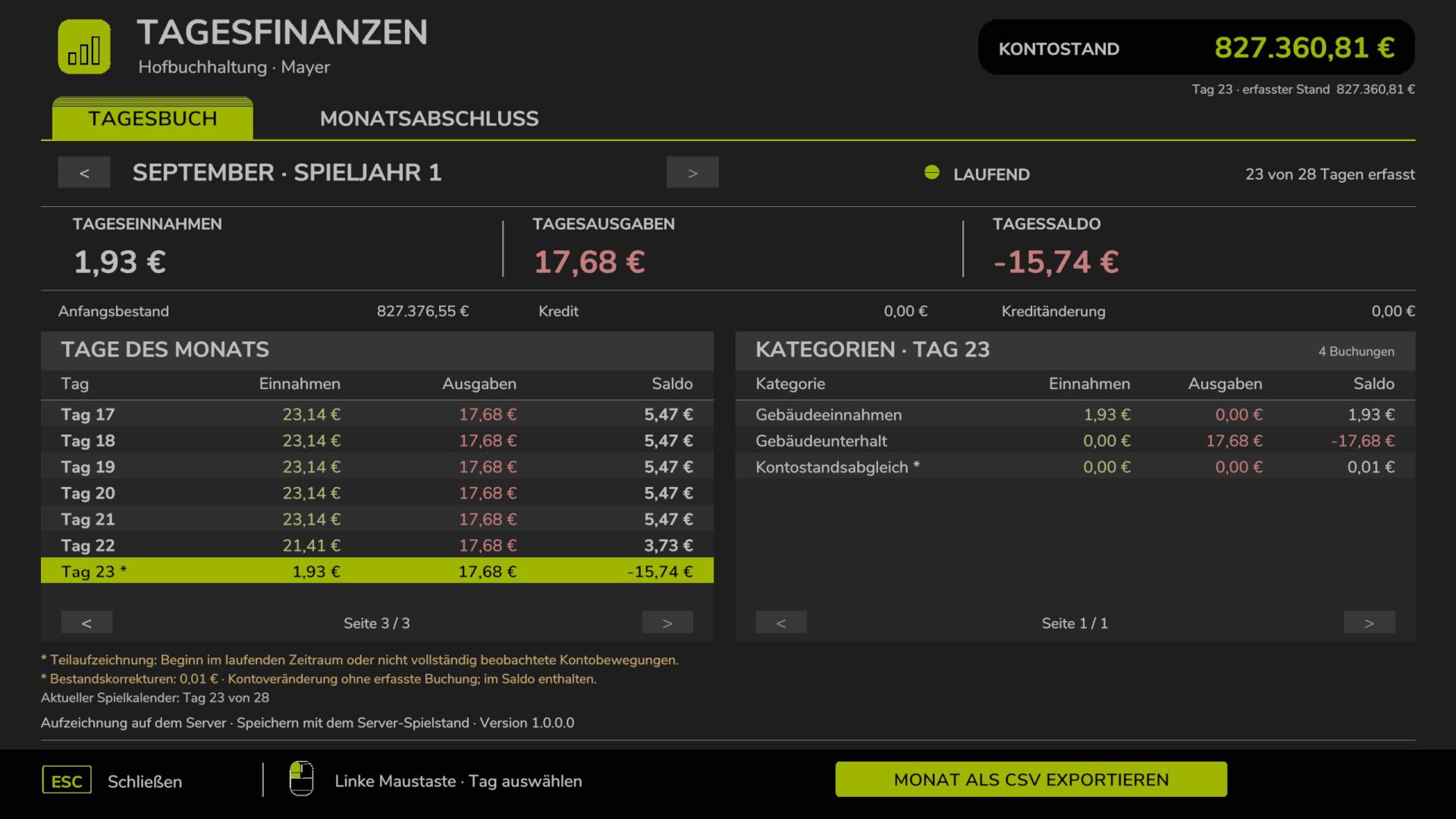
With “Daily Finances,” your farm gets its own dedicated ledger. The mod tracks all financial transactions for every recorded in-game day and automatically compiles them into a monthly summary at the end of each month.
This allows you to see exactly when income was generated, which categories account for the highest expenses, and how your account balance has evolved over time.
Features
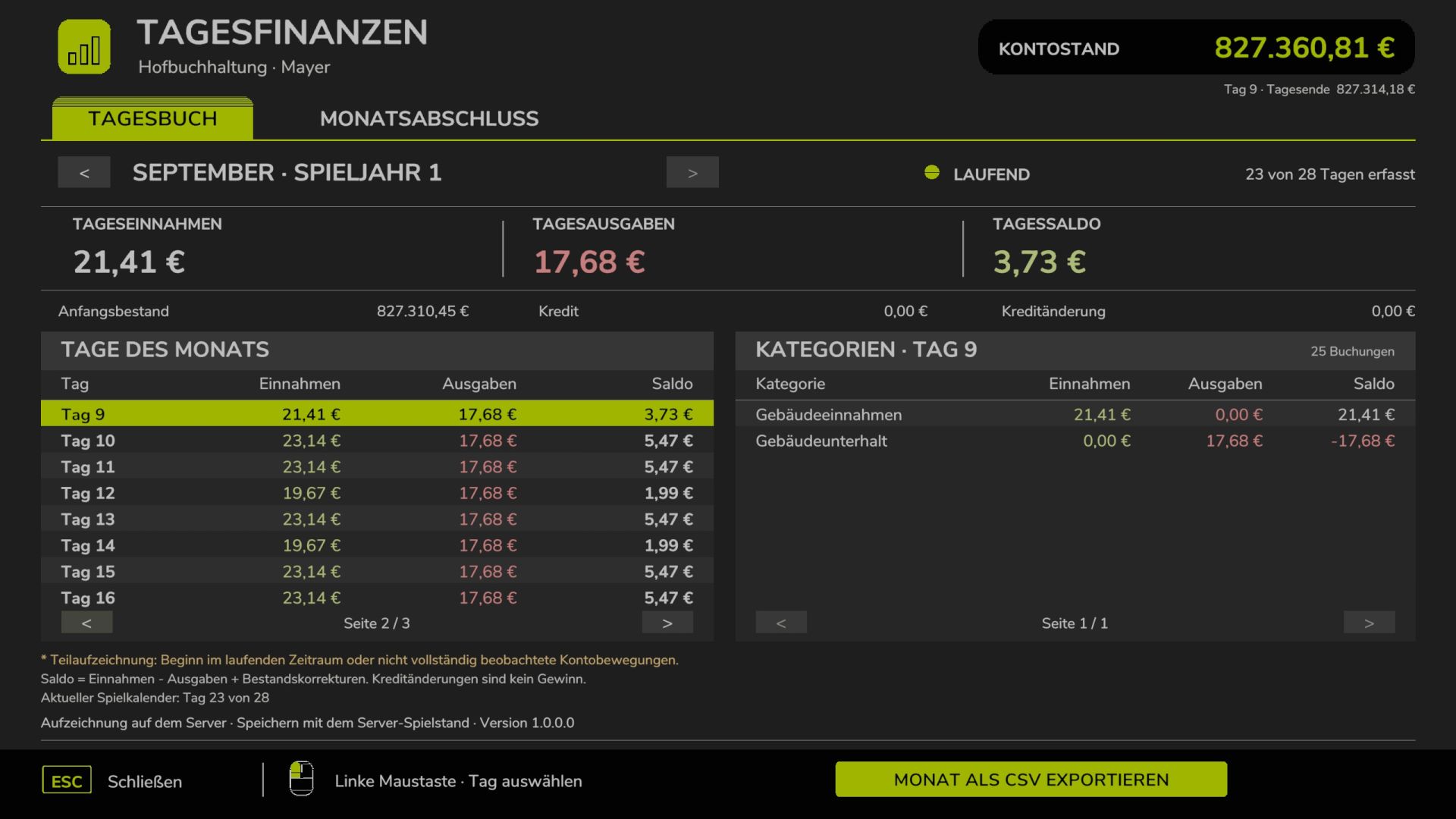
– Daily Ledger: Tracks income, expenses, and the balance for every recorded in-game day.
– Daily Details: Breaks down income and expenses by transaction category.
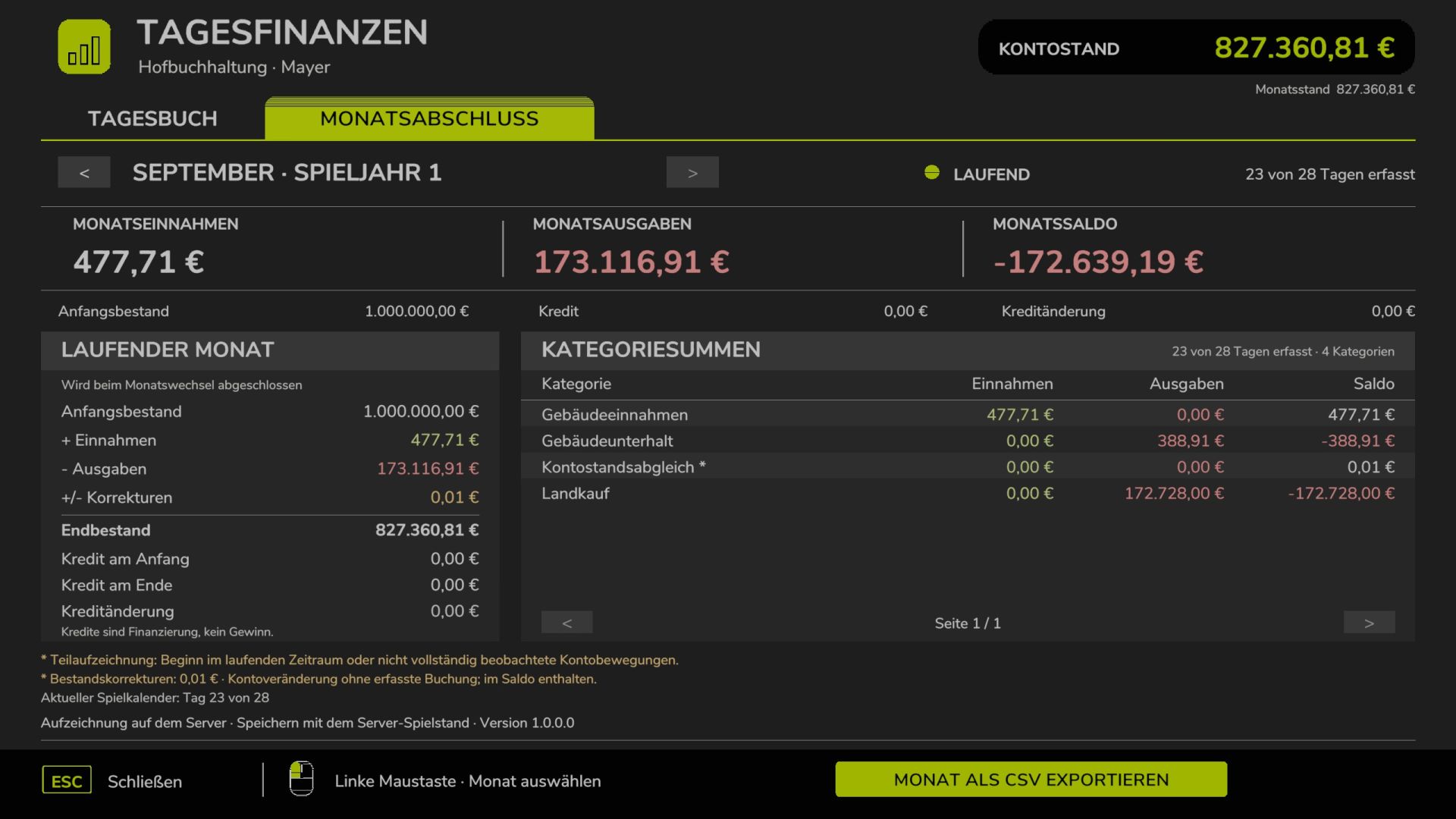
– Automatic Monthly Summary: Consolidates daily data when transitioning to the next month.
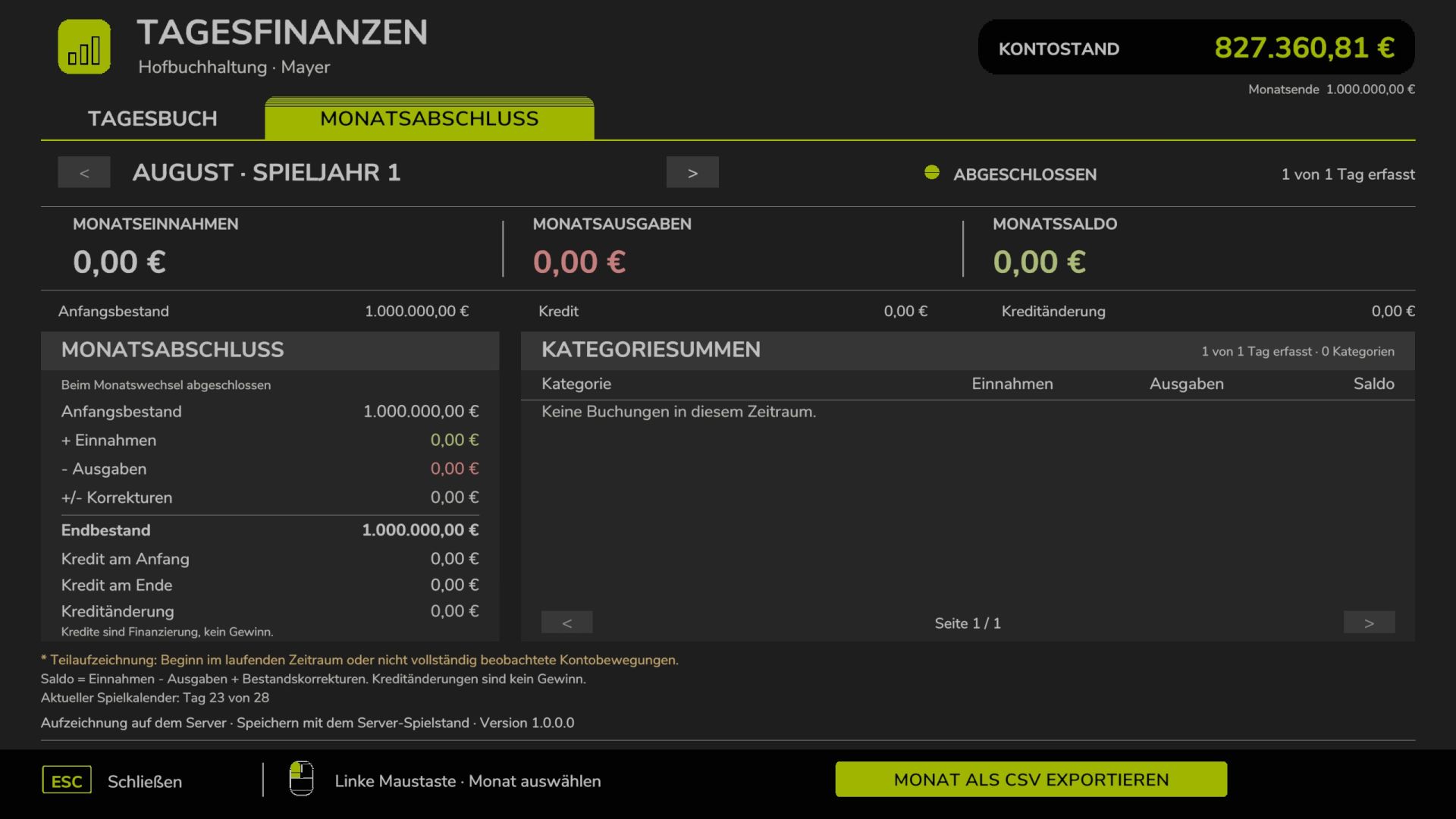
– Monthly Archive: Past months are saved and remain accessible for future review.
– Account Balance & Loans: Displays opening and closing balances, as well as current loan amounts and any changes to them.
– Flexible Month Length: Recording is based on the “days per month” setting active in your game. Even days with no financial activity are tracked.
– Organized Lists: Includes page navigation for months with many days or extensive categories.
– FS25-Style Interface: Features a dark theme, highly legible text, and color-coded values.
– German Number Formatting: All monetary amounts are displayed with two decimal places (e.g., 1,234.56 €).
– CSV Export: Daily and monthly totals can be exported for further analysis in programs like Excel or LibreOffice.
– Save Game Integration: Financial records are automatically included when you save your game.
How to Use
Open the financial overview by pressing Left Ctrl + F.
Use the tabs to switch between the daily ledger and the monthly summary. Click with the left mouse button to select a specific day. Use the arrows to change the month or scroll through the lists.
Press “Esc” or click “Close” to exit the window. The keyboard shortcut can be customized in the game settings under “Open Daily Finances.”
CSV Export
You can save the selected month as a file by choosing “Export month as CSV.”
The exported file is saved in the FarmingSimulator2025 user directory at:
modSettings/FS25_Tagesfinanzen/
On Windows, this is typically located at:
Documents/My Games/FarmingSimulator2025/modSettings/FS25_Tagesfinanzen/
In multiplayer mode, the CSV file is saved on the computer of the player who performs the export.
Multiplayer
Support for hosted games and dedicated servers is included. The server maintains and stores the financial records. Other players receive data for their specific farm, even if they join the game at a later time.
The server and all participating players must have the same version of the mod installed.
The multiplayer features have been tested via local simulation; a full-scale playtest involving multiple computers or a dedicated server has yet to be conducted.
Installation
1. Copy the file `FS25_Tagesfinanzen.zip` into your mods folder. Do not unzip it.
2. Activate the mod when loading your desired save game.
3. In-game, open the financial overview by pressing Ctrl + F.
When updating, ensure the game or server is completely shut down before replacing the existing ZIP file.
Notes
Recording begins once the mod is activated in a specific save game. Data from previous days cannot be reconstructed retroactively. Days or months that are only partially recorded will be marked accordingly.
“Daily Finances” is a standalone script mod and does not require any other mods. The user interface is designed for mouse and keyboard; a console version is not included.