LS 25 Custom Field Tool V1.0.0.0

LS 25 Other


LS 25 Custom Field Tool V1.0.0.0

Features
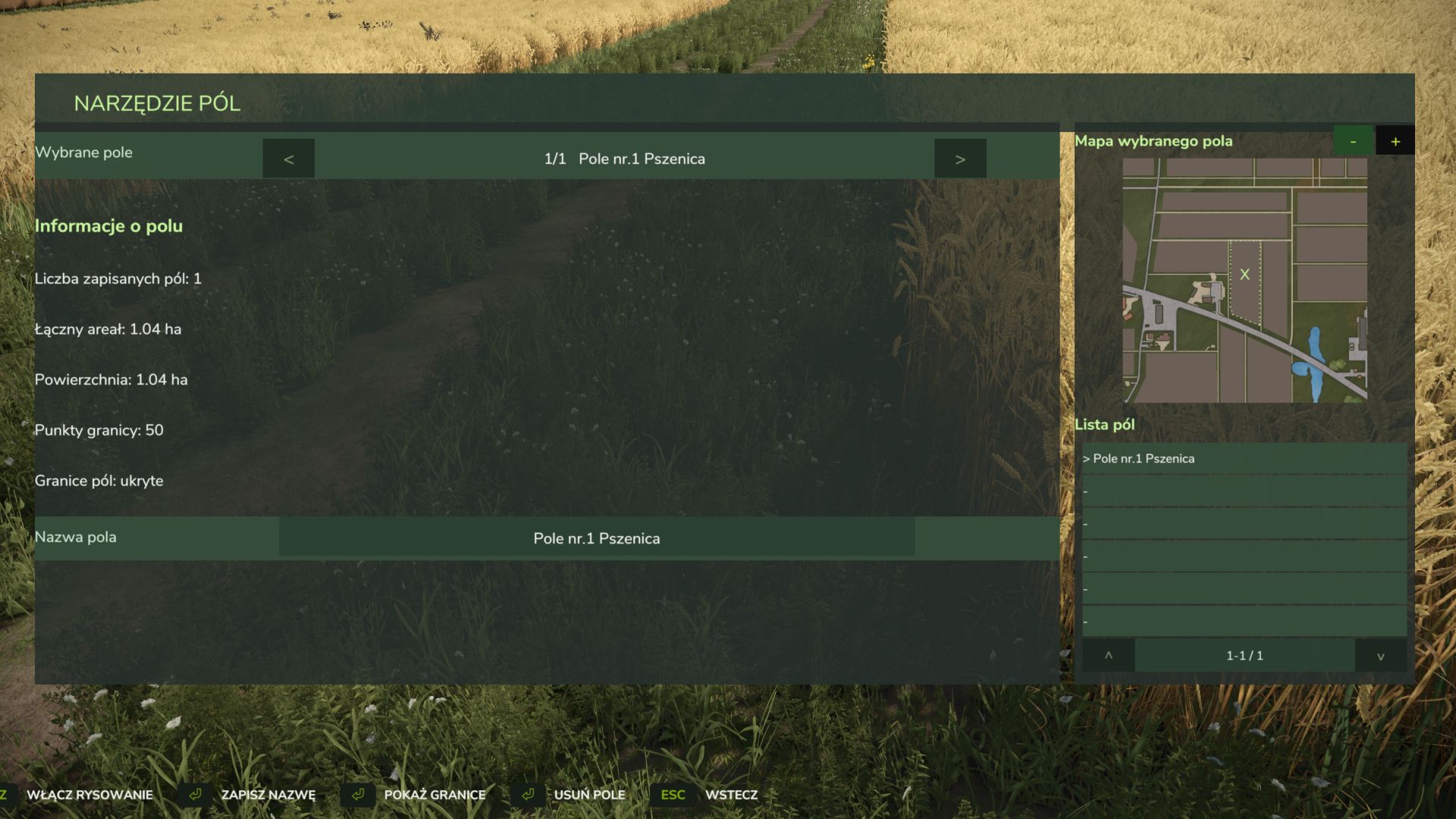
Create custom field boundaries
Calculate field area in hectares
Assign custom names to fields
Show or hide field boundary lines
Manage saved fields from a dedicated list
Dedicated map view for the selected field
Manual map zoom
Clean tablet map without vehicle, shop and other game icons
Delete saved fields
Automatic savegame integration
Multiplayer support
Fully rebindable controls through the standard game settings
Default Controls
F2 – Open / close the field tablet
Z – Toggle field drawing mode
J – Add a boundary point
K – Save the current area

All key bindings can be changed in the standard Farming Simulator 25 control settings.
Languages
Polish
English
German
Multiplayer
Supported.

The mod is still under active development, and more features and improvements are planned for future updates.


Credits:
Mosit
1 Star2 Stars3 Stars4 Stars5 Stars (No Ratings Yet)


Why to use Farming Simulator 19 mods | Farming Simulator 22 mods?
Even though Farming Simulator 2019 / Farming Simulator 2022 is a great game, you can make it even more astonishing by installing Farming Simulator 19 mods / Farming Simulator 22 mods. There are plenty of mods for every part of the game so you can change or integrate whatever you like. All the FS 19 mods / FS 22 mods are absolutely costless, so you won’t spend anything trying to change the game according to your own wishes. Our main goal is to keep Farming Simulator 19 / Farming Simulator 22 community happy where everyone has a possibility to implement their ideas and enjoy playing a perfect game. If something looks disturbing, bothers you or maybe you just need to integrate more tools and supplements, simply use FS 2019 mods / FS 2022 mods. Not many games provide an opportunity to change it by individual needs, but Farming Simulator is different. You can do whatever you want just by installing LS 19 mods/ LS22 mods so it’s time for you to take action and fulfill even craziest ideas!


You may also like...

Leave a Reply