
LS 25 Open My Door (IC) V1.1.0.0
Automatically opens and closes driver doors via Interactive Control when approaching, entering, starting the engine and leaving the vehicle. Multiplayer-compatible.
Open My Door (OMD) – Automatic Driver Doors with Interactive Control
Hello everyone,
Tired of having to operate the driver’s door manually every time? Open My Door automates the opening and closing of your vehicle doors via Interactive Control – whether you are entering, exiting or simply walking past.
Features
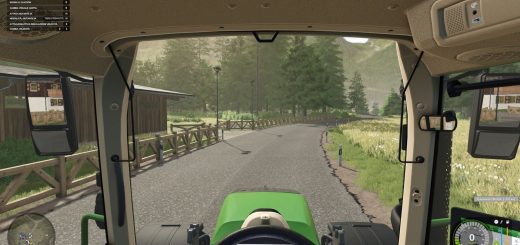
Automatic opening & closing: When you walk towards the driver’s door, it opens automatically. When you move away again, it closes by itself.
Adjustable closing behavior:
When entering (default): The door closes immediately upon entry.
When starting the engine: The door remains open after entering and only closes once the engine is running.
Automatic exit behavior: The door opens immediately when leaving (E) and closes as soon as you move away.
Full compatibility: Multiplayer-compatible (status synchronization via the IC API) and compatible with Cab Cinematic (FS25_CabCinematic).
Requirements
Farming Simulator 25
Mod: Interactive Control (VertexDezign)
Vehicles with IC support for the driver’s door
Installation
Copy the archive file (FS25_openMyDoor.zip) to your mods folder:
Documents/My Games/FarmingSimulator2025/mods/
Activate both mods (Interactive Control & Open My Door) in the savegame before starting the game.
In-game settings
Under ESC -> Game Settings -> Open My Door (OMD), you can adjust the behavior:
Automatic approach detection: On / Off
Trigger distance: 1.5 m to 3.5 m (closes automatically at distance + 1.0 m hysteresis)
Closing mode: When entering / When starting the engine
Feedback and error messages are welcome here in the thread!
This is my first mod, so please be a little lenient!
V1.1.0.0
– Bugfix (Error: C stack overflow): Fixed recursive source() calls in OpenMyDoor.lua during g_specializationManager:addSpecialization(…) when the mod starts.
– Bugfix (ON/OFF slider in the settings menu): Clones of BinaryOptionElement now correctly initialize onGuiSetupFinished() as well as the internal references textElement and sliderElement, so the switch no longer incorrectly displays ON when set to OFF.
– New feature (Open door when engine stops): Added a new option to the settings menu (openOnMotorStop) that automatically opens the driver’s door when the engine is switched off to allow the player to exit (and closes it again if the engine is restarted without exiting).
Required mods:
Interactive Control