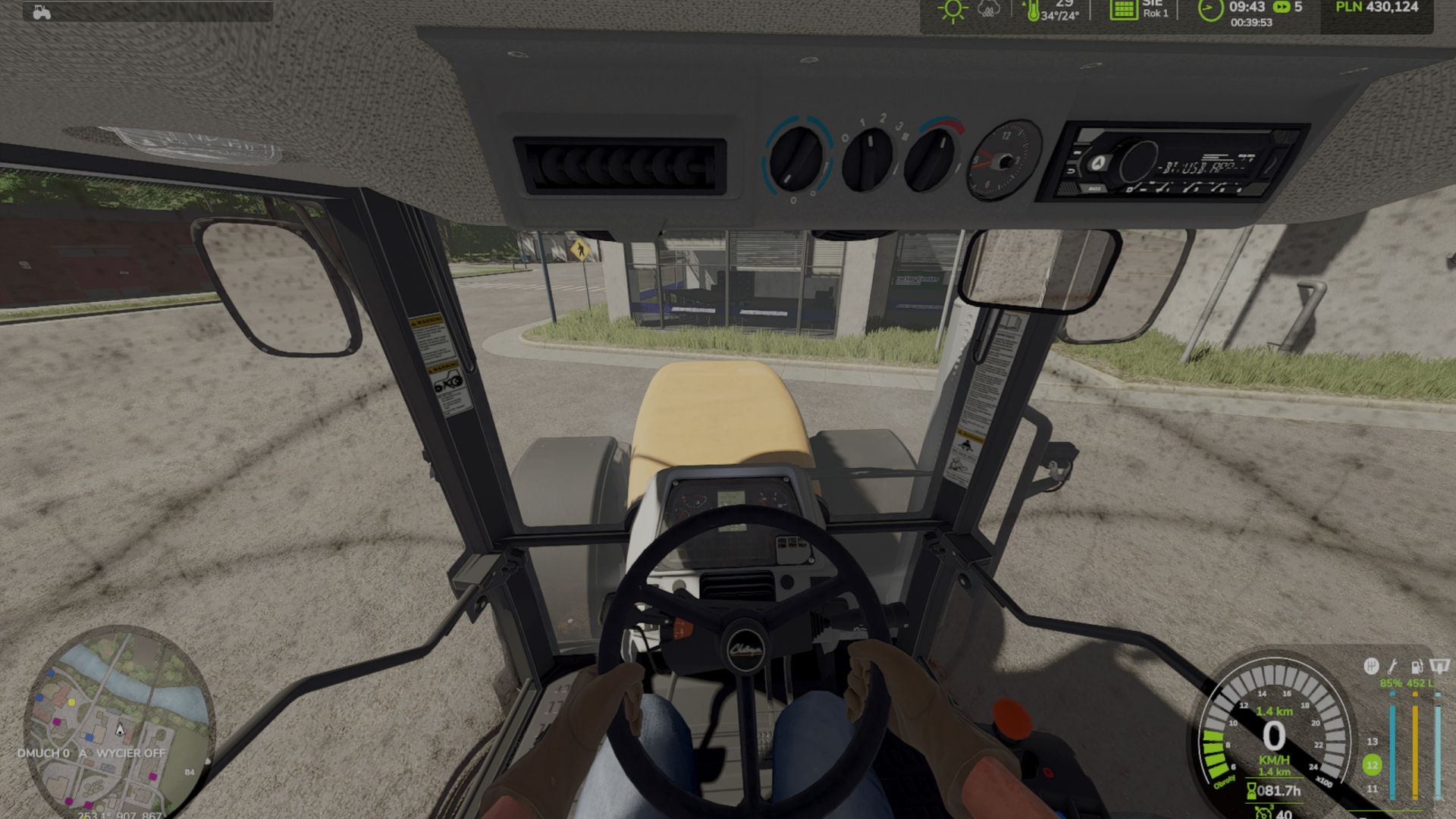
LS 25 Real Glass V1.0.1.8
If something does not work, please write exactly in the comments: which vehicle it concerns, what exactly happens,
whether you are in the cab and whether you are using IC (Interactive Control).
Alternatively, you can contact me on Discord at qareq_qareq – I will fix it as quickly as possible.
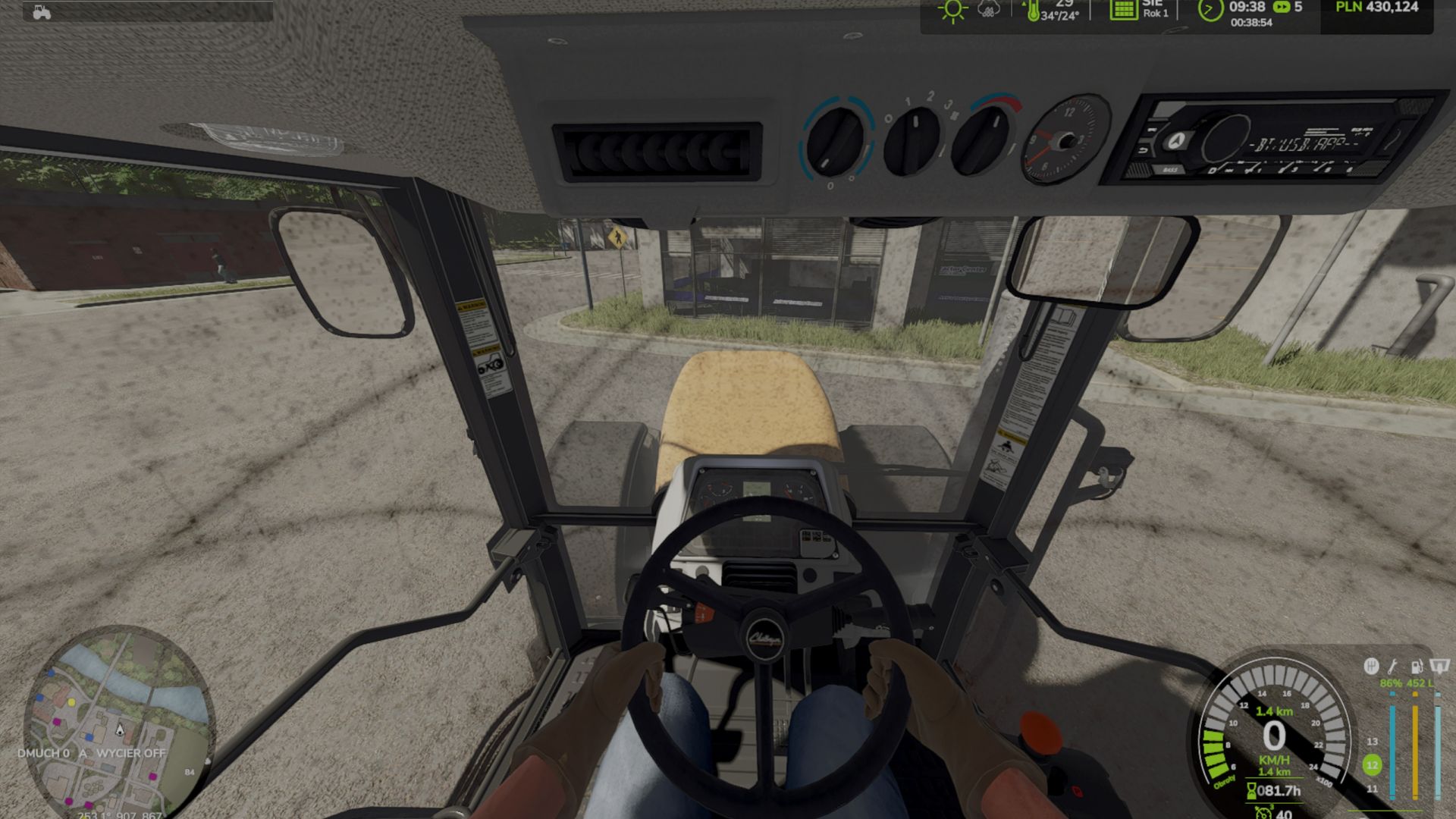
Window dirt is now realistic: it accumulates based on the kilometers driven on fields and roads – more heavily on wet fields, more slowly on asphalt. While stationary, the windows do not get dirty by themselves.
On large tractors, the dirt is visible from the outside (previously, it was often barely noticeable).
The dirt film sticks to doors and windows – with no “ghost effect” on the windows next to the cab and without impairing visibility.
Reworked window detection: More vehicles now get dirty, including vehicles that previously did not accumulate any dirt at all.
The Interactive Control (IC) panel is not blocked by RealGlass.
Windshield washer fluid HUD: A narrow bar next to the fuel gauge; it is hidden in menus and in the shop.
Refilling from a canister using the “R” key (press once, do not hold it) – the tank fills itself within approximately 15 seconds.
In the shop: Windshield washer fluid.
HUD and fluid
The windshield washer fluid level is displayed next to the fuel gauge (third column: damage | fuel | fluid).
An icon of a windshield with a drop and a percentage value.
The HUD is hidden in menus and in the shop.
Clicking “R” while near the bottle automatically fills the tank in approximately 15 seconds (the “R” key does not need to be held down)
Filling works both from the tractor and on foot; this also applies when using HUDPlus.
Bottle in the shop
After purchase, it is placed on the ground and can be picked up with the left mouse button (LMB), just like other objects.
It is visible in the shop and in the item overview.
Physics and collision have been improved (no floating, no falling through the map).
Windows and large tractors
Dirt is now also visible on large cabs (previously, it was barely visible there).
The windows also get dirty from the inside, not just from the outside.
GPS system screens and other displays in the cab do not get dirty.
Controls
All key bindings for RealGlass can be adjusted under “Options > Controls”.
Fan: Right Ctrl key + H (the “H” key alone no longer activates the GPS or the worker).
Performance
Better performance on weaker PCs and in multiplayer mode (applies to films/overlays). only on the tractor you are sitting in and on nearby machines