LS 25 Equipment Demo v1.0.0.0
Equipment Demo for Farming Simulator 25
Try before you buy.
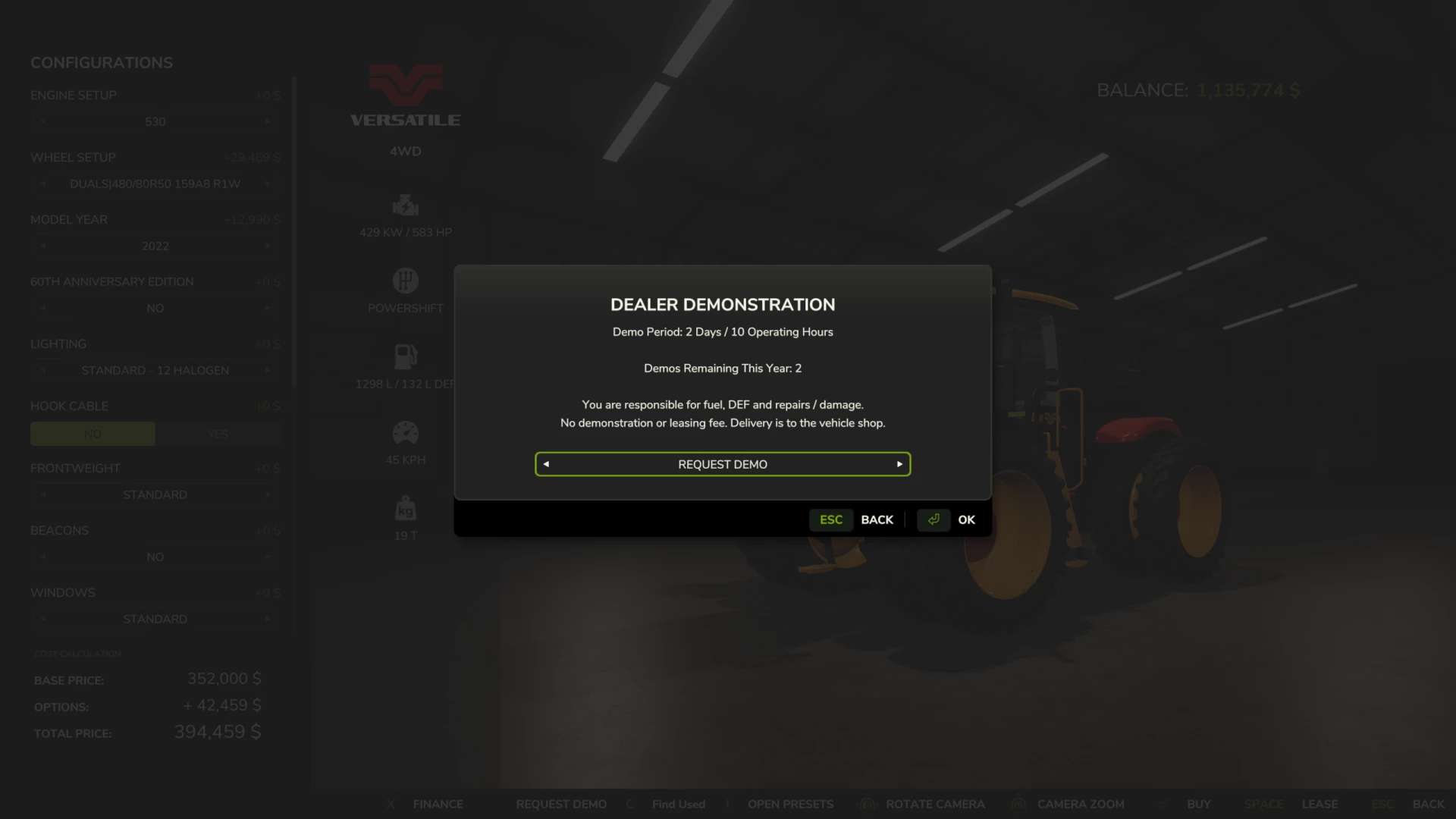
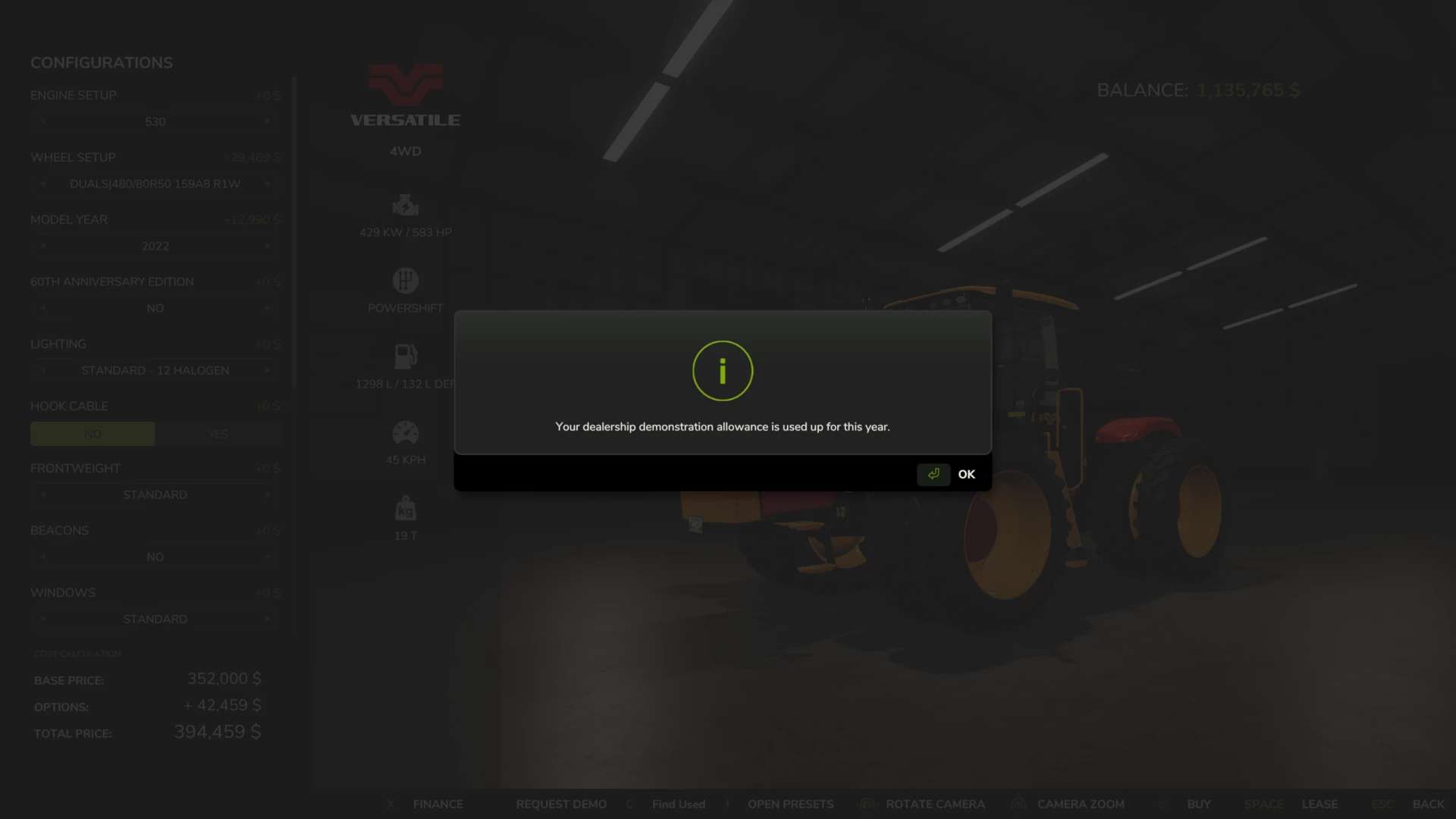
Want to see how a tractor handles your implements or how a combine performs on your farm before spending the money? Equipment Demo lets you request free dealership demonstrations directly from the shop.
Choose your configuration, request a demo, and put the equipment to work.
Features
Two free demos per in-game year, with up to two active at once.
Try equipment together, such as a combine and header. Each item uses one demo allowance.
Two in-game days or ten operating hours per demo, whichever comes first.
No demo or leasing fee. Normal fuel, DEF and repair costs still apply.
Simple shop controls: Request Demo changes to Return Demo on that equipment’s shop page.
Buy the machine you tested, keeping its configuration, hours, wear, dirt and contents.
Save and continue later. Demo progress and yearly usage persist across reloads.
Demo equipment cannot be sold.
How to use
Open eligible new equipment in the shop and select your configuration.
Click Request Demo and confirm the terms.
Collect the equipment from the dealership and try it on your farm.
To return it, go back to that same item’s shop page and select Return Demo.
Empty all product, park safely, switch off and exit. The return waits until the equipment is ready.
To view demo status or purchase your active demo, use the developer-console command edDemo.
Returning or purchasing equipment does not refund its yearly demo allowance.
Installation
Place FS25_EquipmentDemo.zip in your Farming Simulator 25 mods folder without extracting it, then enable the mod when loading your career.
Requirements and compatibility
Farming Simulator 25
Single-player PC/Mac script mod
Tested on Windows with FS25 1.24.0.0
Multiplayer and consoles are unsupported
Mac and third-party mod compatibility remain unverified
Public beta — version 0.1.4.0
This mod is under active testing. Back up your save before use, and keep the mod enabled while demo equipment is active.
Used-sale equipment, bundles, pallets and bags are excluded. Some modded equipment and hidden cargo systems may require additional compatibility testing.
Found a problem? Include your game version, mod version, other active mods and steps to reproduce it. Relevant [EquipmentDemo] entries from log.txt are helpful remove personal information before sharing.
An unofficial community mod for Farming Simulator 25. Cover artwork is AI-generated promotional art.