LS 25 Contract Manager v1.0.0.0
Contract Manager gives the server admin control over field contracts and keeps them fair for every farm. It works on dedicated servers, in hosted multiplayer games and in single player, and uses only the game’s own menus.
WHY THIS MOD
On shared servers, contracts were easy to exploit and hard to manage. A farm could take a harvest contract, sell the crop elsewhere or pass it to another farm, and simply let the contract fail. Rewards could not be matched to the server’s economy, and admins had no way to step in. Contract Manager was made for our own community server to fix exactly this.
WHAT IT DOES
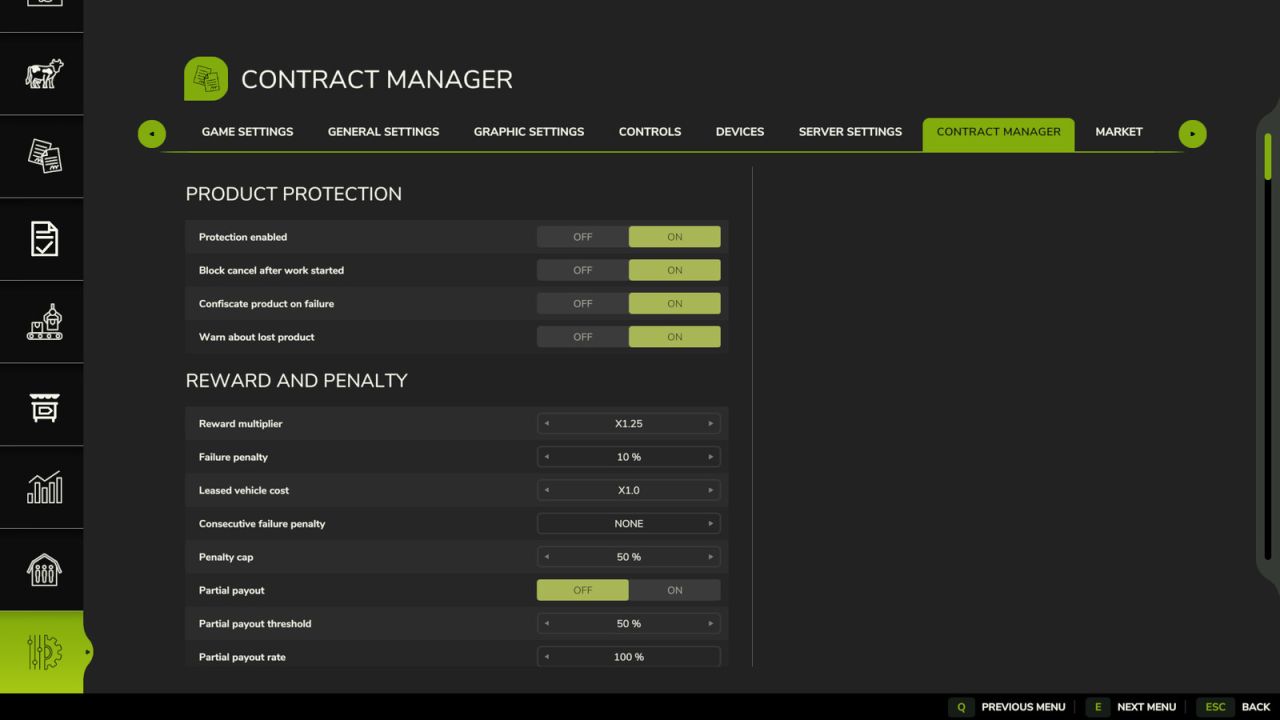
Product protection: contract crop can only be moved between the vehicles of the farms working the contract and can only be unloaded at its delivery point. Dumping it on the ground or handing it to another farm is blocked. Once work has started the contract cannot be cancelled, and if it fails, the contract crop collected so far is taken back.
Admin rules: reward multiplier with minimum and maximum, failure penalty and partial payout, active contracts per farm, daily and monthly quota, board size and generation interval, contract duration, contract types and their weights, harvest share kept by the farm, leased vehicle cost, distance and difficulty pricing, reputation, chain and NPC bonuses.
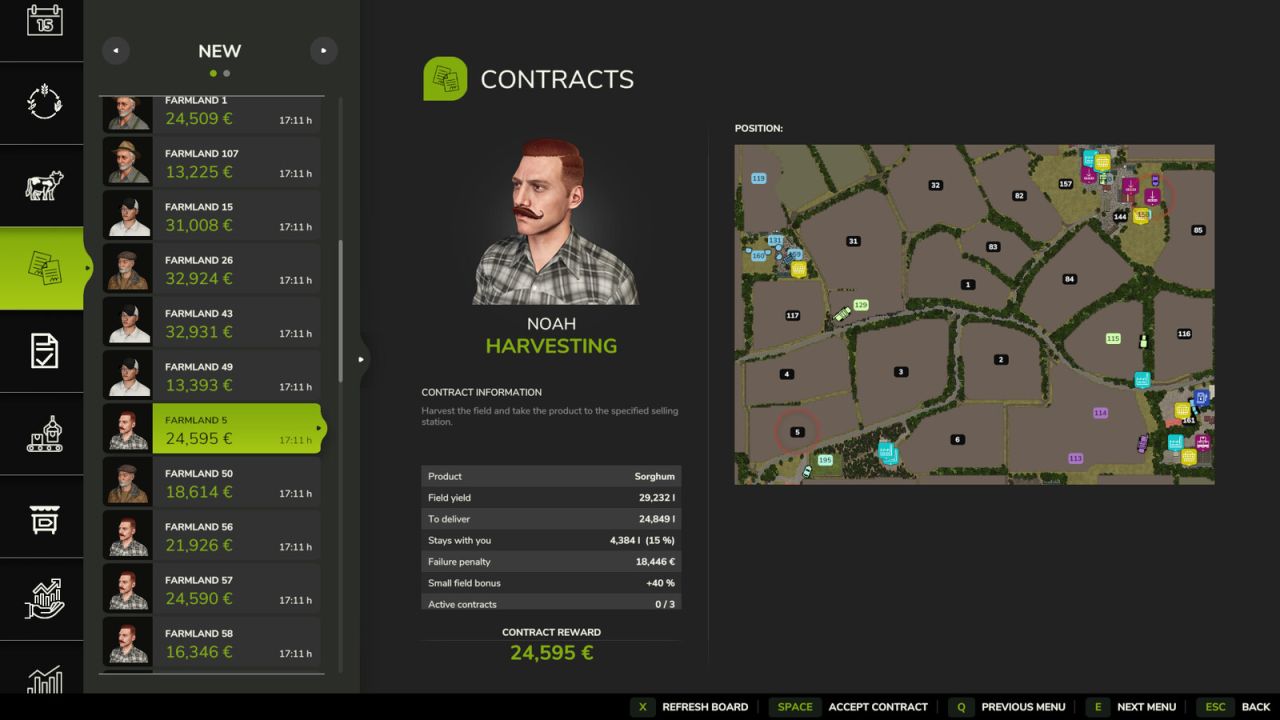
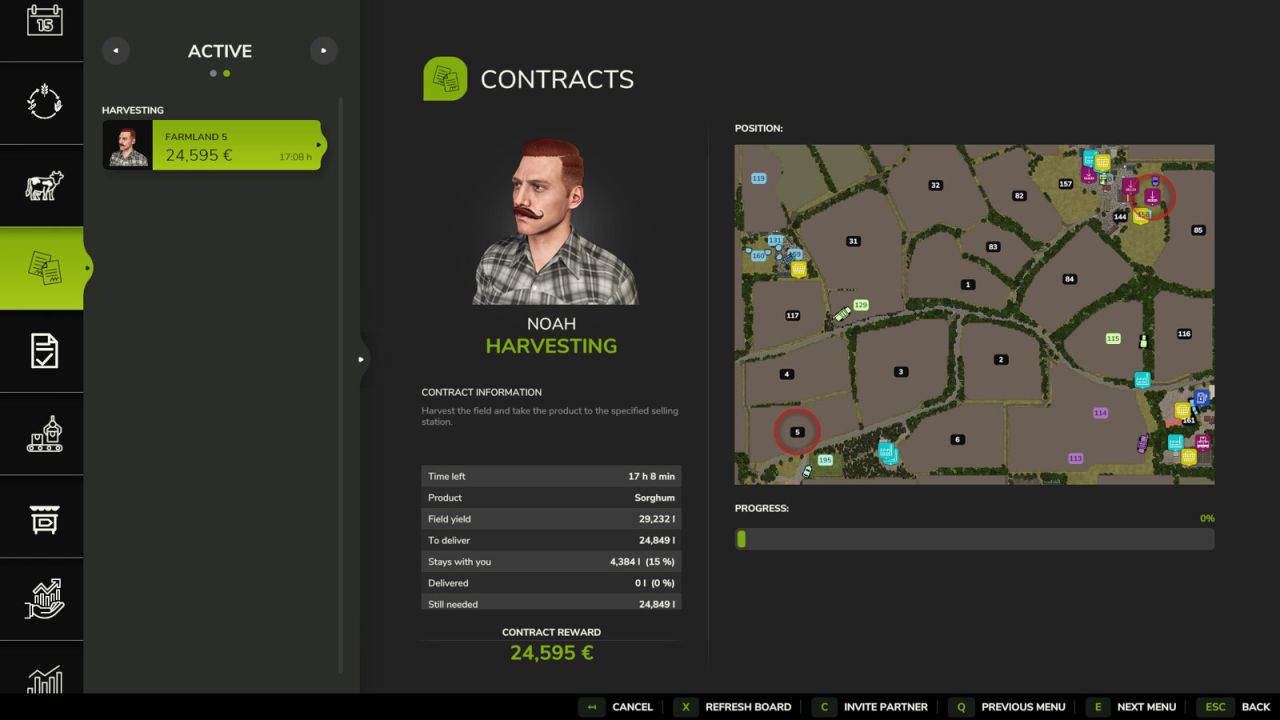
Extra lines in the contract details: time left, possible penalty, expected yield, amount to deliver and progress.
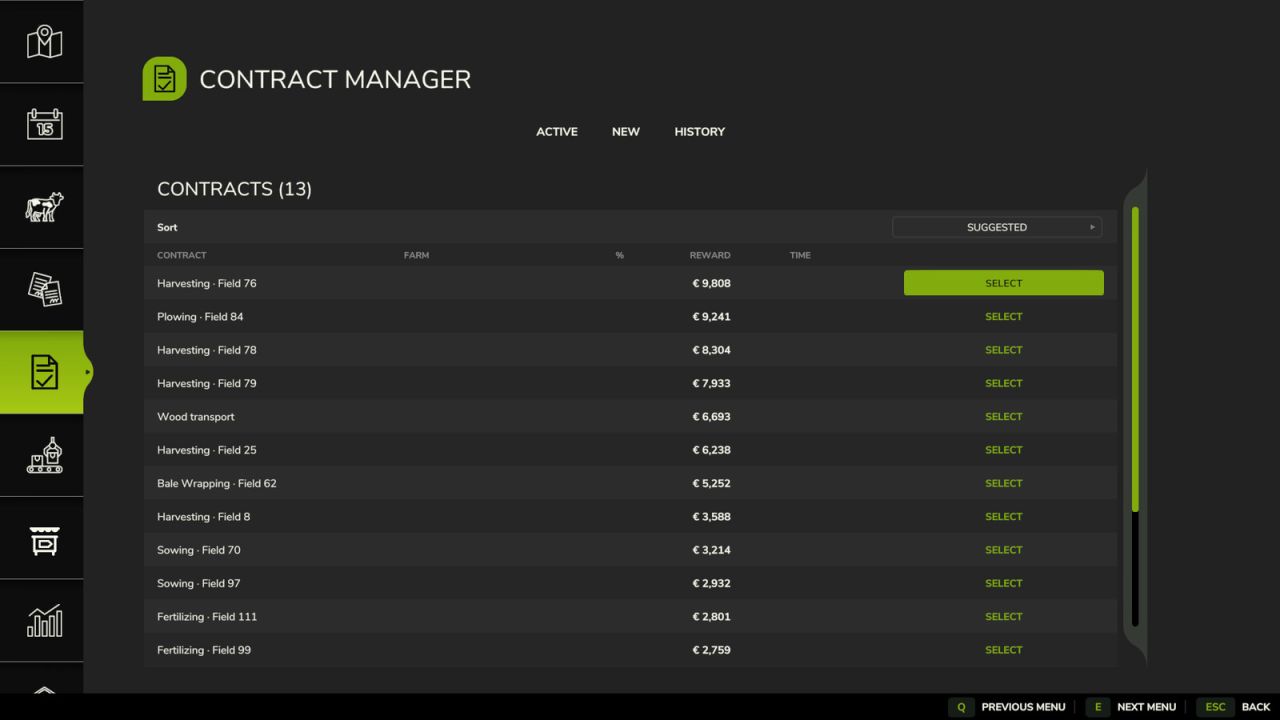
Contract Manager page in the ESC menu: every contract in one sortable table with Active, New and History tabs.
Multiplayer: reserve a contract for a few minutes, share a contract with a partner farm and split the reward by contribution. Admins can refresh the board, force-cancel a contract, transfer it or assign it to a farm.
HOW TO USE
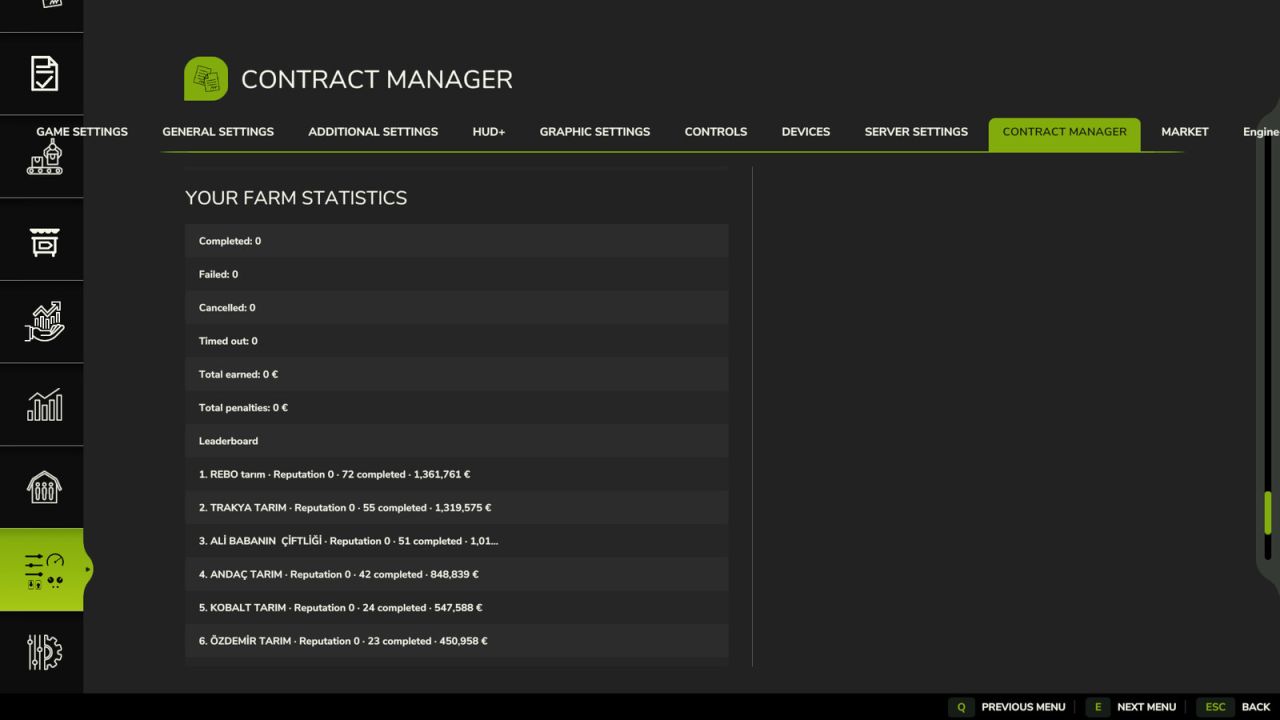
Settings: ESC > Settings > Contract Manager. Only the admin can change them; every player sees the statistics of their own farm there.
Contracts page of the game, bottom bar: C = Reserve, Invite partner, Accept partnership, Leave partnership. Space = Decline invite. X = Refresh board (admin). If the game already uses a key, the next free one is taken; the bar always shows it. On a gamepad, use the button shown in the bar.
Contract Manager page: pick a tab, select a row and click an action button. Actions that cannot be undone ask for confirmation.
NOTES
Install it on the server and on every player; everyone needs the same version.
In single player, the multiplayer-only features are switched off and shown greyed out.
When FS25_BetterContracts is active, Contract Manager switches its own contract rules off so the two mods do not stack; the admin can switch them back on with “Apply on top of BetterContracts”.
Settings file: modSettings/FS25_ContractManager.xml