LS 25 JD Terminal HUD V1.2.0.0
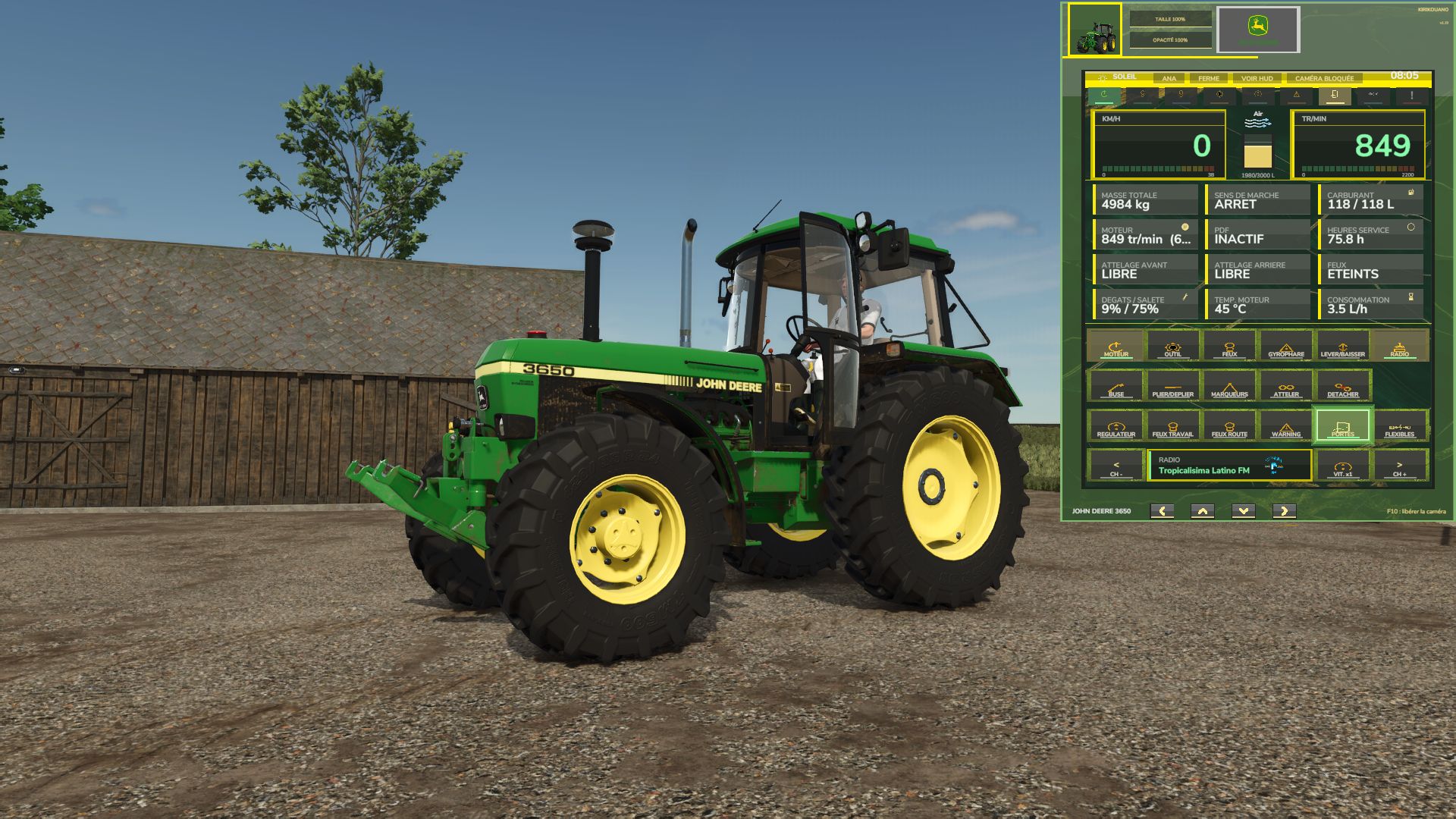
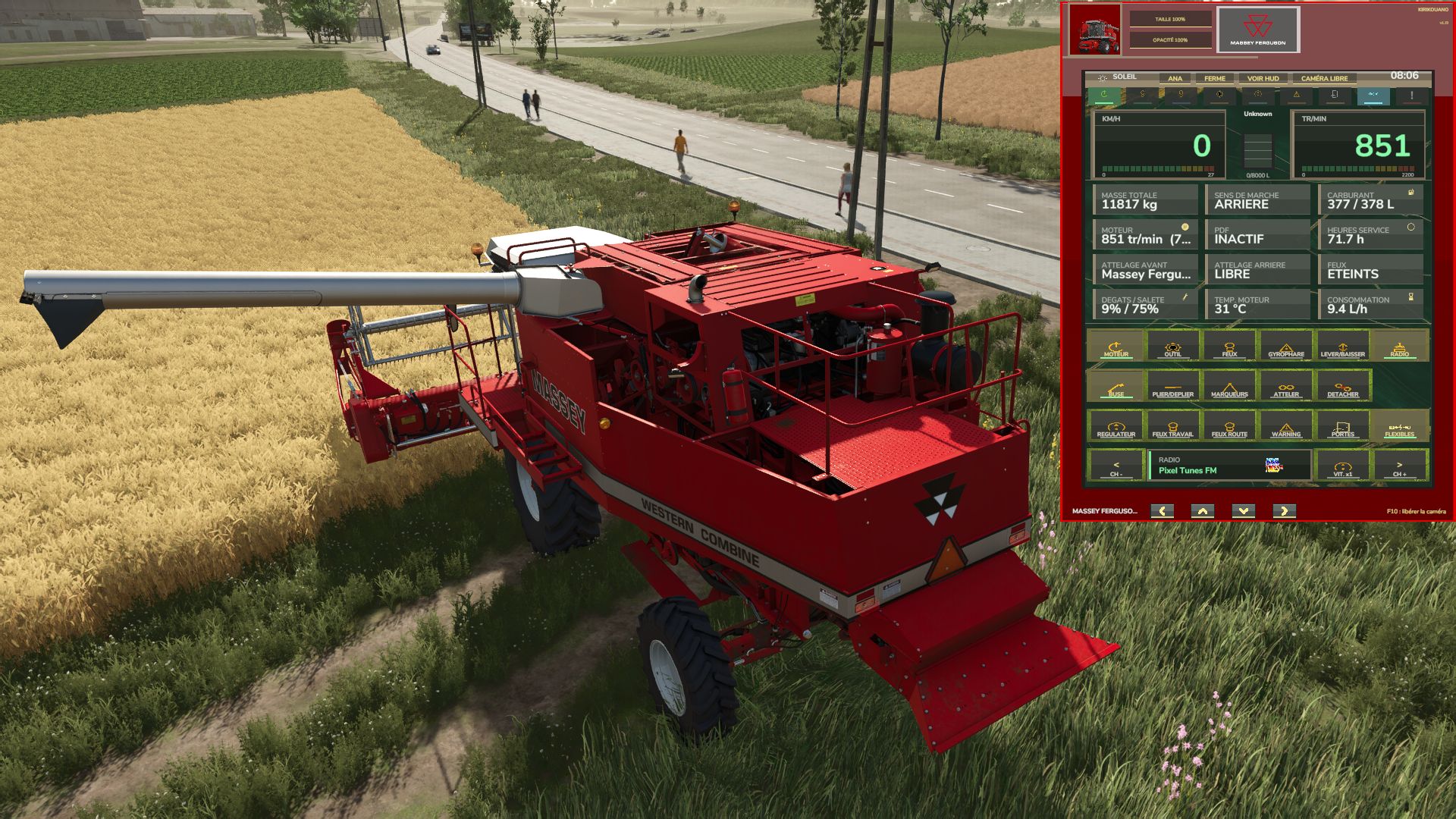
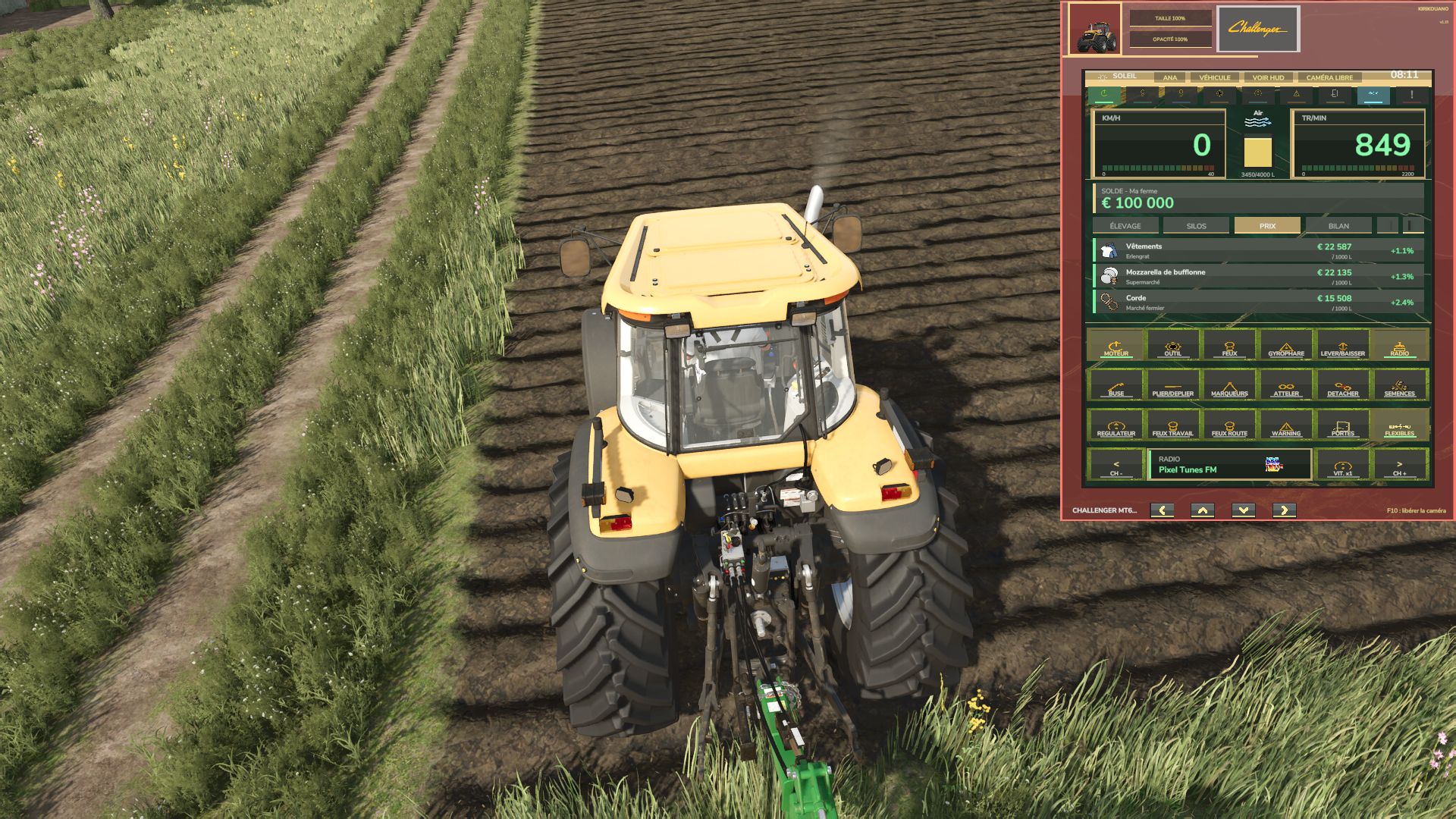
John Deere-style dashboard terminal, overlaid on the screen. It displays and controls your vehicle without obstructing driving or the camera.
Display
RPM, speed, fuel, temperature and load.
Two modes: gauges or digital figures.
Status lights.
Frame, photo and name in the colors of the vehicle being driven.
Buttons
Engine, cruise control, lights, beacon, warning beacons.
Implement, unloading, folding, lowering, attaching and detaching.
Doors, hydraulic hoses, seeder (displays the loaded seed).
Radio: previous channel, next channel, on/off.
Speed: limit and power (solo or host).
A button unavailable on the vehicle is greyed out.
Farm Page (4 tabs)
Balance and loan.
Animals: health, food, water and straw by building.
Silos: contents and fill level by product.
Prices: best price per 1,000 L, selling point, trend.
Summary: money, distance, driving time, max speed.
Automatic alerts: silo full, animals running low on food, water or straw, prices rising.
Convenience
HIDE HUD: hides the game display, which returns when closed.
LOCKED CAMERA: freezes the camera while in use.
Adjustable size and opacity.
Free movement using the frame arrows.
Position, size, opacity and tab are saved.
Game sounds.
Tutorial on first launch.
Controls
F9: show or hide.
F10: activate the mouse to click buttons and tabs. Press F10 again to release the camera.
Reassignable keys in Options > Controls.
Languages: French, English, German, Spanish, Italian.
Compatibility: multiplayer supported, with no conflicts with other mods.
V1.2.0.0
Complete Farm page: balance and loan, 4 tabs (Animals, Silos, Prices, Summary).
Automatic alerts: full silo, lack of food, water or straw, rising prices.
HIDE HUD, CAMERA LOCKED, SIZE and OPACITY buttons.
Redesigned movement arrows. Position, size, opacity and tab are remembered.
Game icons on the buttons. Game sounds.
Tutorial on first launch.
Terminal positioned between the game’s HUDs. The vehicle name no longer overlaps the arrows.
Scroll through lists with the mouse wheel.
Files organized into folders (icons, textures, sounds).
Controller support removed: no more conflicts with the game’s controls.
Various fixes and streamlined code.