
LS 25 Grass Tram Line V1.0.0.0
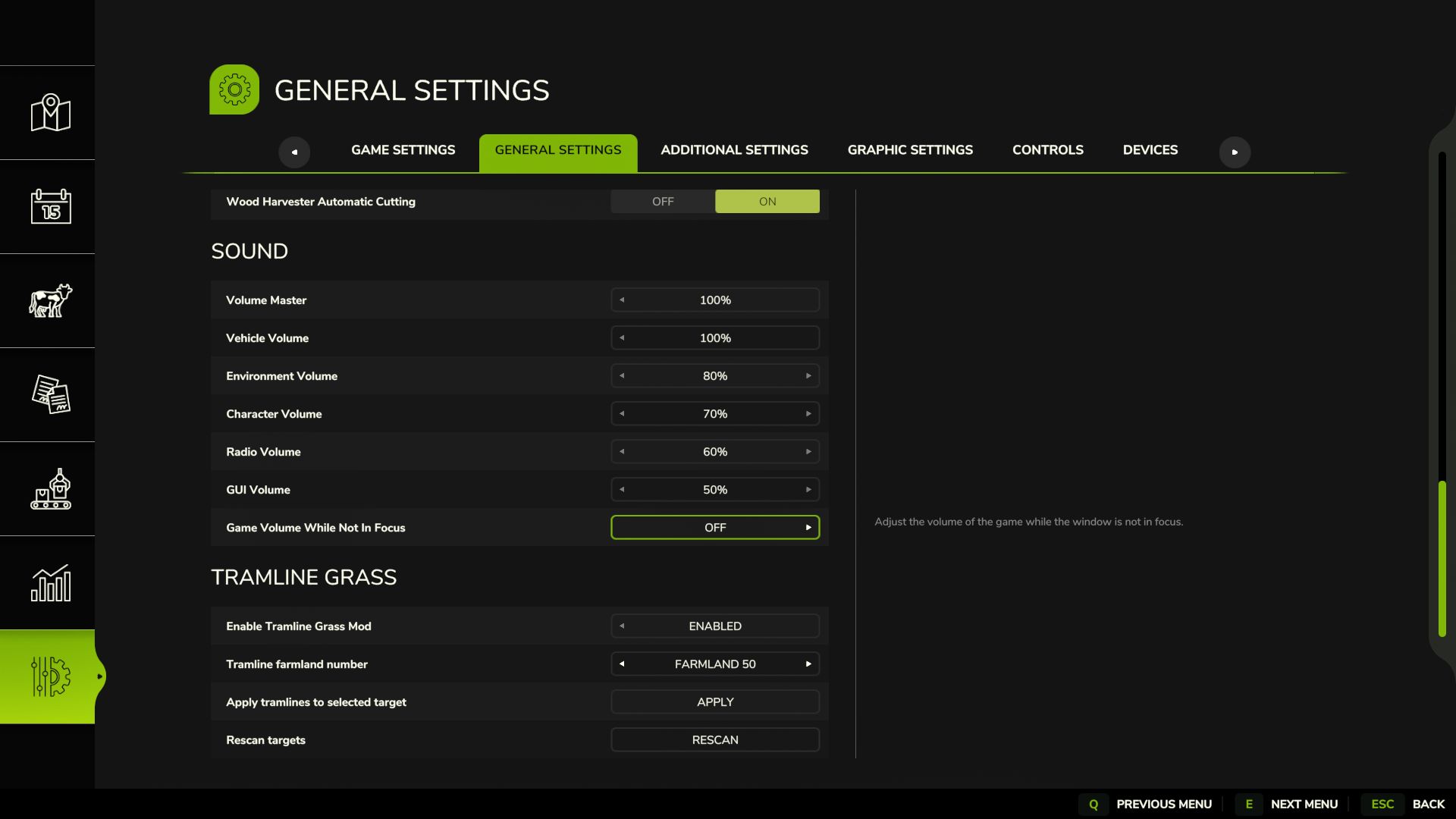
“Tramline Grass” is a mod for Farming Simulator 25 (Fields & Crops category) by Sumro Gaming. This page explains the mod before the player accesses the download source. With “Tramline Grass”, players can create tramlines through the in-game settings menu without having to reseed the field. Simply select a field number, click “Apply”, and the mod will create visible tramlines on the selected field. “Tramline Grass” is a standalone mod by Sumro Gaming for Farming Simulator 25.
It is aimed at players who want more realistic crop and field behavior during normal fieldwork. The main goal is simple: players can create tramlines directly in the settings menu without having to sow new seeds. Select the field number, confirm your choice, and the mod will take care of the rest. “Tramline Grass” is not only about the file existing, but also about what the mod does, when it is useful, and how it can be safely tested in a real game.
The “Tramline Grass” mod
focuses on the following features: creating tramlines on the selected field through the settings menu, removing crops from the tire tracks and filling them with grass, adding tramlines on the headland (within the field), and shortening the grass after vehicles drive over it. The mod analyzes the selected field, creates tramlines, removes crops from the tire tracks, fills them with grass, and ensures that the grass remains visually shorter after vehicles pass over it. This is particularly useful on well-structured farms where the tramlines are meant to look deliberate and planned.
It is not just a visible strip; the mod improves orientation in the field when spraying and during repeated passes. Since “Tramline Grass” is documented specifically for FS25 players, this article explains not only the technical details of the ZIP file, but also its practical effects on gameplay, instead of leaving visitors with nothing more than a title and a download button.
Tramline creation process:
This mod is best suited to active savegames with ongoing farming operations and allows players to compare field behavior before and after using the mod—for example, when sowing, spraying, harvesting, or working on the headland. The three screenshots on this page show “Tramline Grass” in the game and allow for a visual comparison before accessing the download source. A good way to evaluate “Tramline Grass” is to perform the same task before and after activating the mod and compare the results under normal operating conditions. With “Tramline Grass”, you should primarily check the feature’s functionality, the condition of the savegame after reloading, and whether the rest of the mod folder continues to function properly.