LS 25 Variable Working Depth V1.0.0.0
Variable Working Depth: the implement works as deep as you lower it
Do you lower the disc harrow and the field always ends up looking the same, no matter how deep you put the discs? No real implement works that way. This mod introduces what actually determines field work: working depth. Lower it slightly and you leave a seedbed; sink it all the way down and you’re opening the soil like a plow.
WITH ANY DISC HARROW OR CULTIVATOR
This is not a new implement: it is a system that works with all disc harrows and cultivators, both base-game and modded equipment.
There is no need to edit any XML or buy anything from the store. Hook up the implement you already have and it works.
When the mod is first installed, nothing changes: each implement’s factory position behaves exactly like it does in the original game. Only when you adjust the depth setpoint does the system start controlling the working depth.
DEPTH DETERMINES THE TYPE OF WORK
Depth setpoint from 0 to 100% with Ctrl + Num Plus / Minus.
Shallow:seedbed preparation, the typical job of a disc harrow.
Medium:cultivation, similar to the work of a cultivator or heavy disc harrow.
Deep:plowing, or subsoiling if you prefer the more realistic option for a disc harrow (console: `vwdSet deepMode subsoiler`).
At 0% setpoint, the discs barely touch the ground and perform no tillage: lowered does not necessarily mean working.
Working-mode changes use hysteresis, so the system does not flicker between states when going over uneven terrain.
REAL MECHANICS, NOT JUST ANIMATION
Implements with support wheels: the depth wheels move relative to the frame and the frame actually sinks, like a real offset disc harrow.
Mounted implements without support wheels: the 3-point hitch height is adjusted and the hitch becomes rigid in height.
The control mode is selected automatically for each implement based on how it is built.
Draft load scales with working depth: the deeper you work, the more power the tractor requires, with higher consumption and lower speed. With a lower setpoint, you save power.
Hydraulic cylinder sound plays while adjusting the depth.
AI workers and Courseplay continue lowering, raising and operating the implement normally.
ON-BOARD TERMINAL IN YOUR TRACTOR’S STYLE
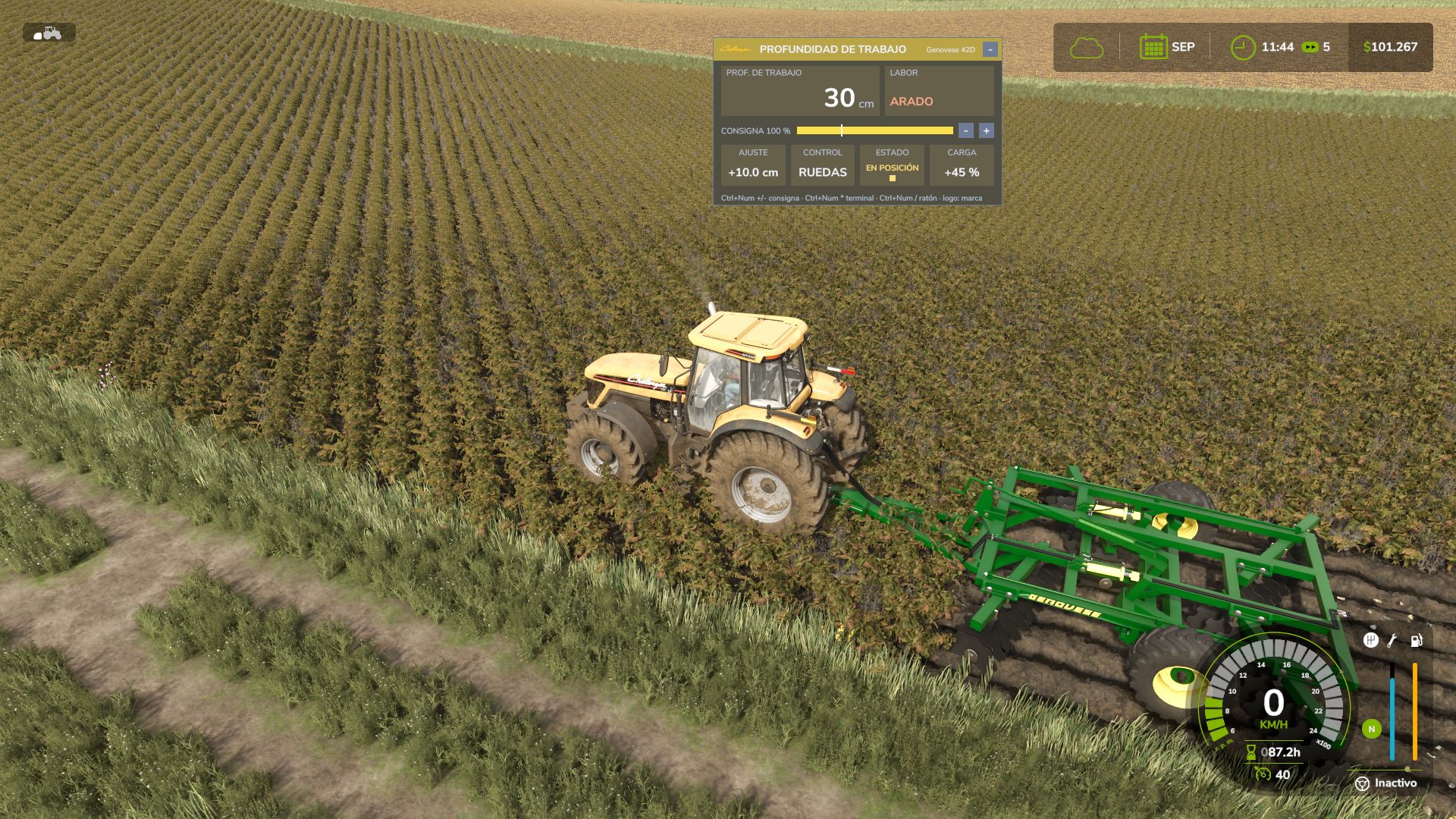
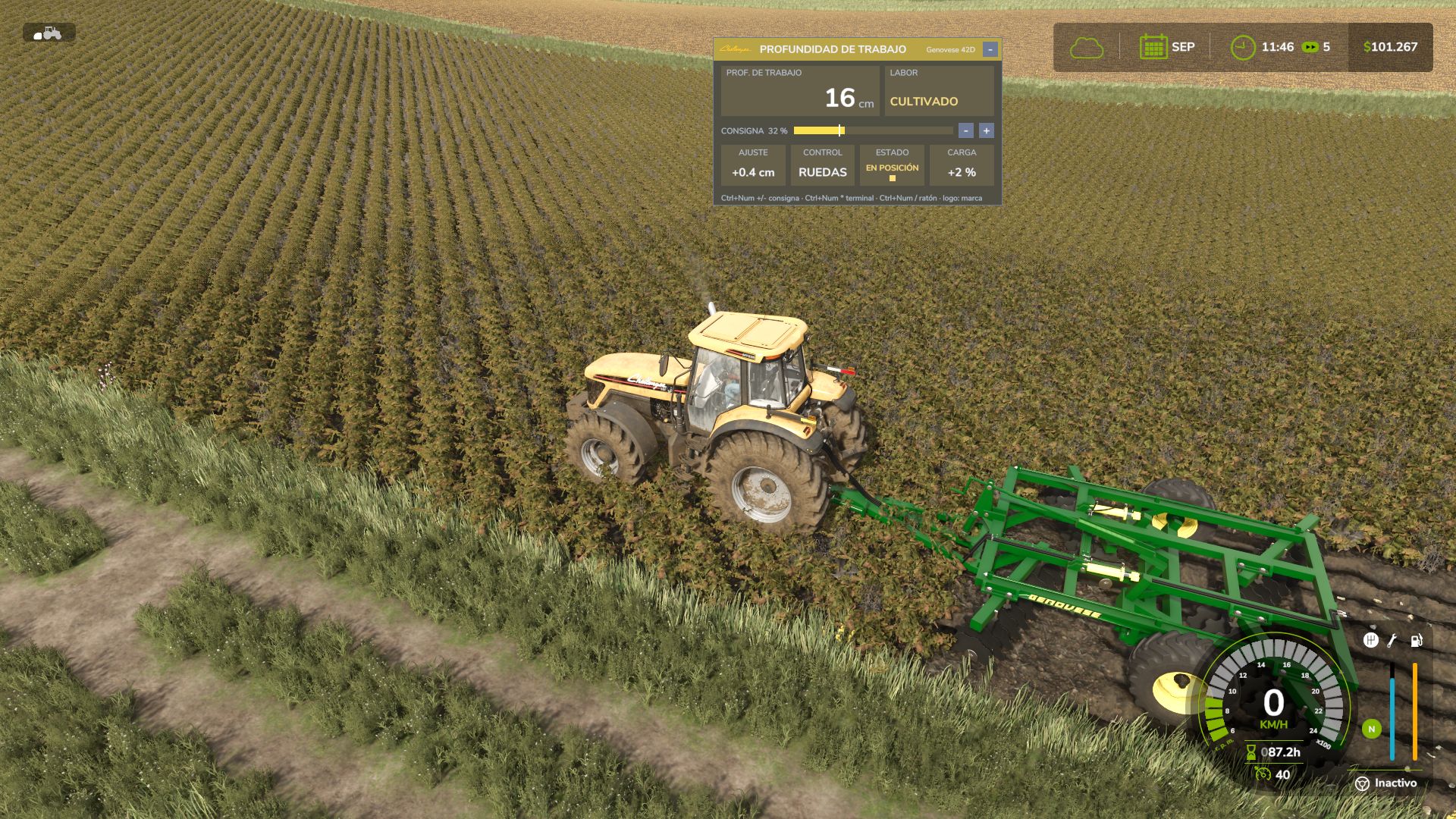
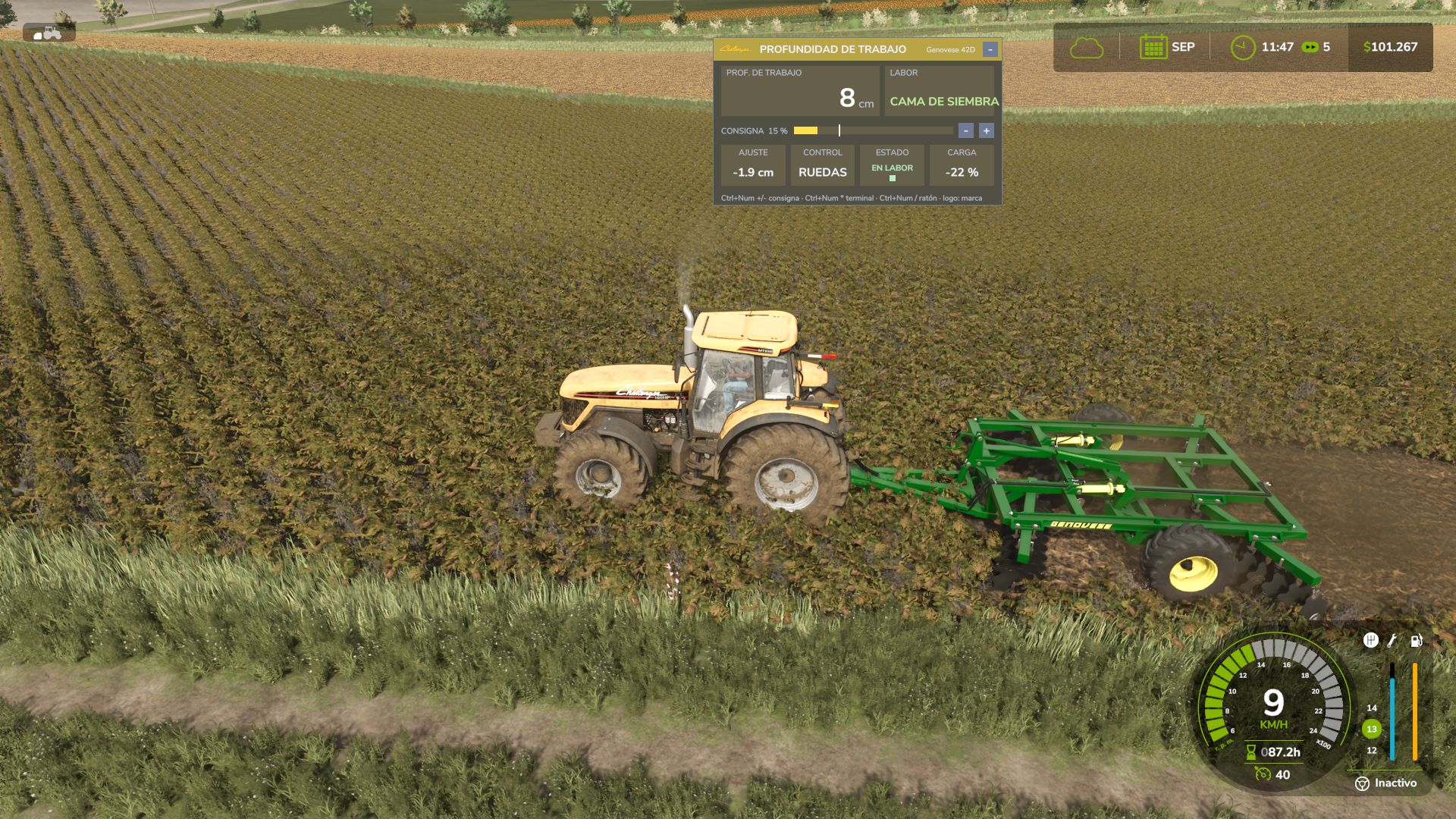
An on-screen terminal designed to look like a real tractor’s onboard computer.
It automatically uses the colors and real logo of the tractor brand operating the implement: John Deere, Case IH, New Holland, Fendt, Claas, Massey Ferguson, Valtra, Deutz-Fahr, Kubota, Challenger, Steyr.Other brands use a generic color scheme with their own logo.
Displays:
Working depth in centimeters
Type of operation
Setpoint bar with factory position
Adjustment in cm relative to factory setting
Control mode
Status LED (raised / position / working)
Draft load
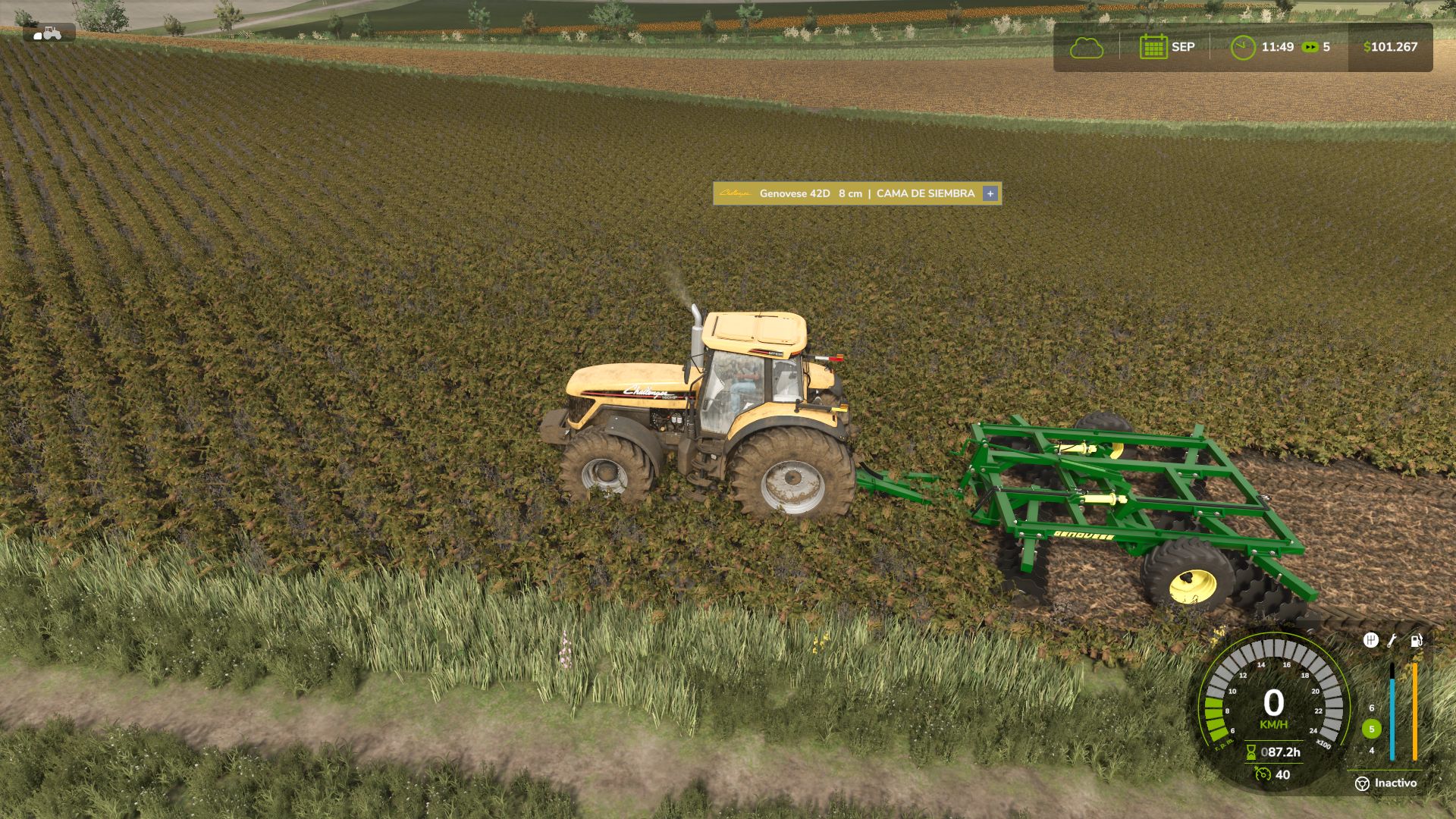
The terminal can be expanded, minimized to a single line, or hidden (Ctrl + Num Multiply).
With Ctrl + Num Divide, the cursor appears so you can use the − / + buttons, fine-tune with the mouse wheel, and drag the terminal wherever you want.
Click the logo to manually select the tractor brand.
The position and state are remembered between game sessions.
Technical information only, with no unnecessary data: just what you would see inside the cab of a real machine.
FEATURES
Depth setpoint saved for each implement in the savegame.
Global settings via console (`vwd`): deep-work type, depth range, thresholds, and draft load.
In-game self-calibrated depth reference for each implement.
Multiplayer and dedicated server compatible: setpoint, work mode, and draft load synchronized for all players.
Translated into Spanish, English, German, and French.
Made with a passion for realistic agricultural simulation.