LS 25 Tip Side HUD v1.0.0.0

LS 25 Other


LS 25 Tip Side HUD v1.0.0.0

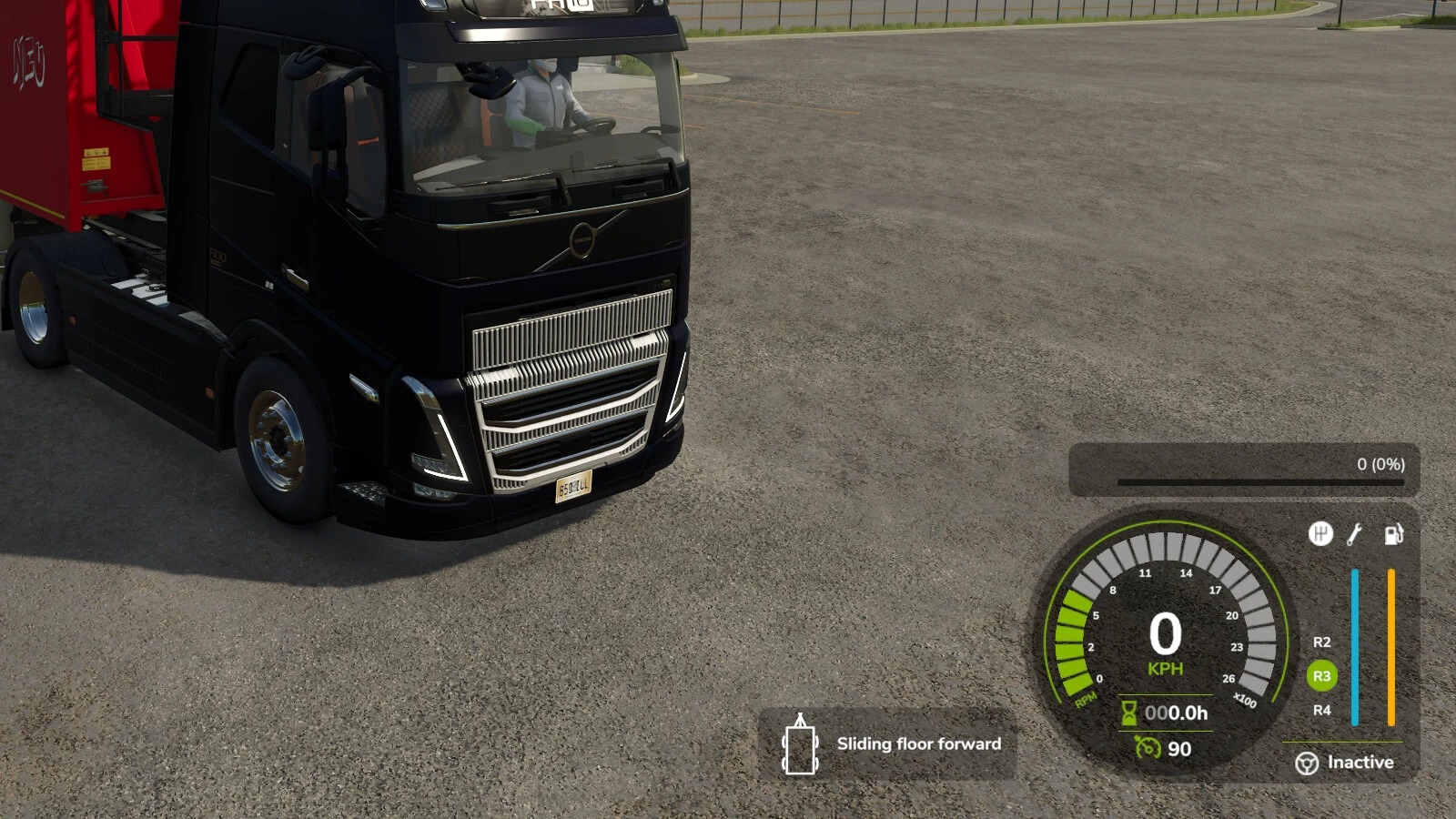
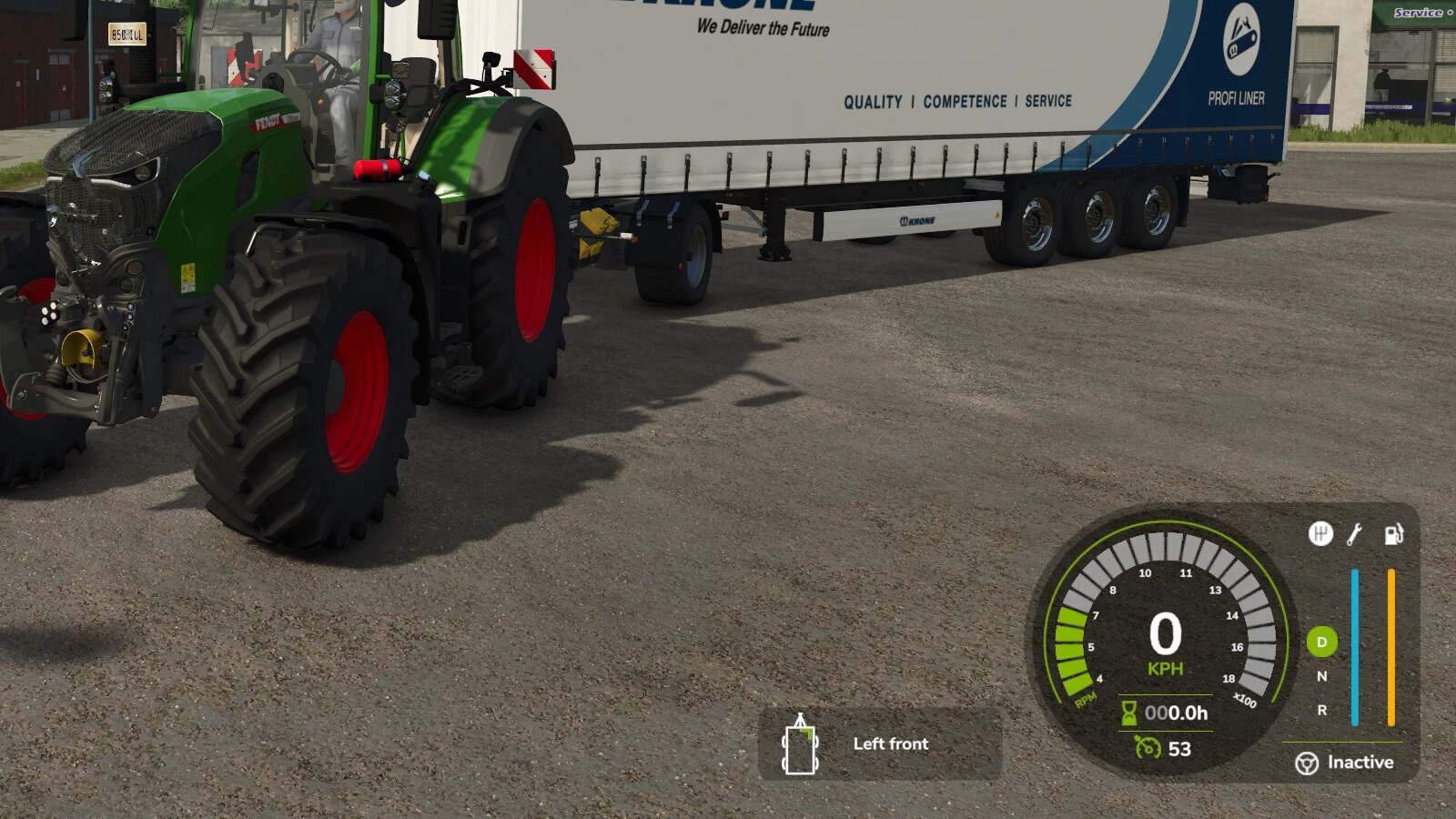
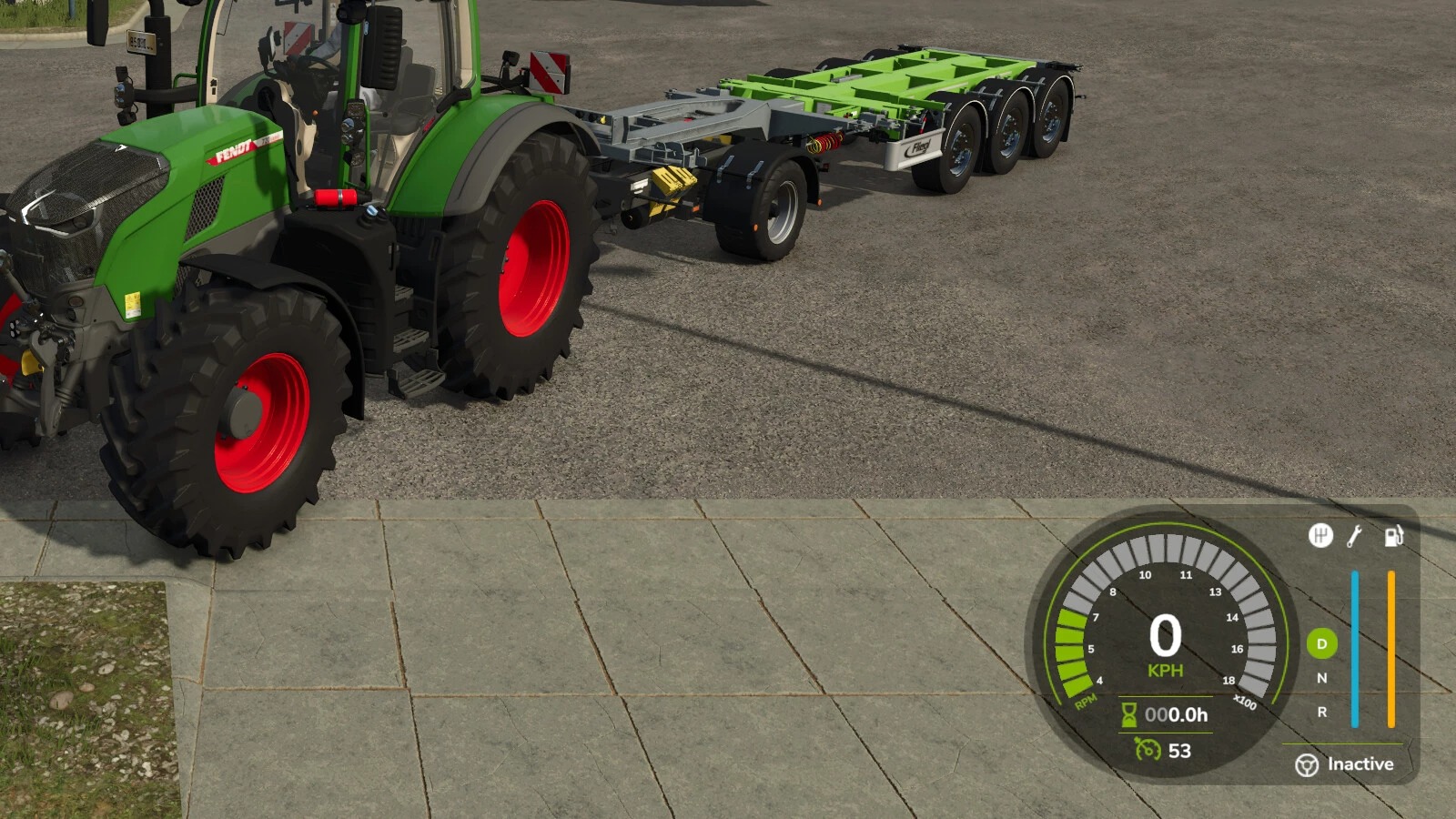
This mod adds a new HUD that displays the currently selected tip or discharge side of the currently relevant vehicle or implement. This makes it possible to keep track of the active unloading side at all times without having to leave the help menu open.

The current vehicle, attached implements and body configurations are supported. The selected implement is also taken into account so that the display matches the vehicle or tool currently in use as closely as possible.

Depending on the vehicle or body type, the HUD shows the detected tip side as text together with a matching icon, for example:
Front / Rear
Left / Right
Left front / Right rear
Grain slider
Push floor
Ramp

In addition, the HUD position can be adjusted easily through the settings menu:
X offset of display
Y offset of display

Additional features:
Support for German and English
HUD scaling is taken into account
matching accent color is automatically taken from the game HUD
works with vehicles, trailers and attached implements

Credits:
EWW_Bobo
1 Star2 Stars3 Stars4 Stars5 Stars (No Ratings Yet)


Why to use Farming Simulator 19 mods | Farming Simulator 22 mods?
Even though Farming Simulator 2019 / Farming Simulator 2022 is a great game, you can make it even more astonishing by installing Farming Simulator 19 mods / Farming Simulator 22 mods. There are plenty of mods for every part of the game so you can change or integrate whatever you like. All the FS 19 mods / FS 22 mods are absolutely costless, so you won’t spend anything trying to change the game according to your own wishes. Our main goal is to keep Farming Simulator 19 / Farming Simulator 22 community happy where everyone has a possibility to implement their ideas and enjoy playing a perfect game. If something looks disturbing, bothers you or maybe you just need to integrate more tools and supplements, simply use FS 2019 mods / FS 2022 mods. Not many games provide an opportunity to change it by individual needs, but Farming Simulator is different. You can do whatever you want just by installing LS 19 mods/ LS22 mods so it’s time for you to take action and fulfill even craziest ideas!


You may also like...

Leave a Reply