LS 25 Realistic Animal Names V2.1.0.0
Realistic Animal Names Mod for Farming Simulator 25
Adds immersive custom naming to all animals with floating name tags, bringing personality and identity to your farm’s livestock.
MAIN FEATURES:
– **Custom Naming**: Give unique names to every animal on your farm
– **Floating 3D Name Tags**: Names appear above animals in the world
– **Distance-Based Display**: Names automatically scale and fade with distance
– **Four Configurable Settings**: Visibility, distance, height, and font size
– **Per-Savegame Storage**: Each save maintains its own animal names
– **Full In-Game Settings Integration**: Adjust everything from game settings
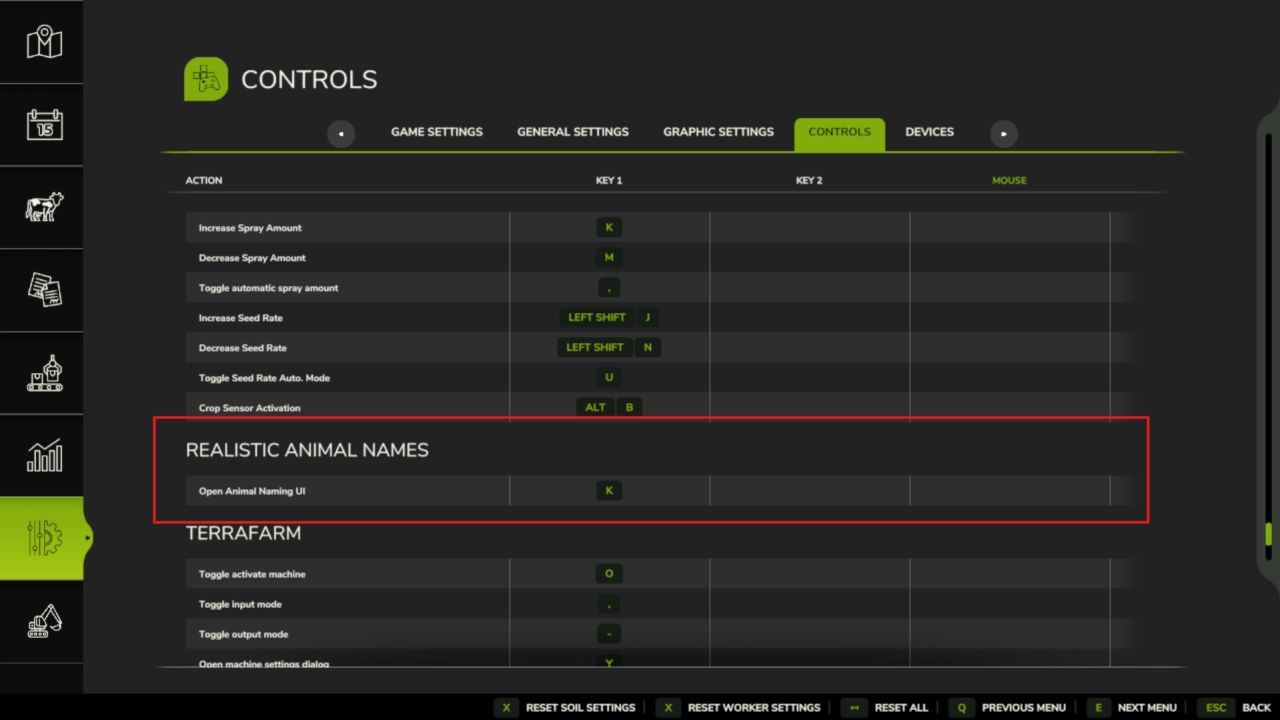
– **Customizable Keybind**: Default ‘K’ key, fully rebindable
– **Multiplayer Compatible**: Works in multiplayer sessions
– **10 Language Support**: Fully localized UI and notifications
– **Safe Save Game Integration**: Compatible with existing saves
HOW IT WORKS:
Walk up to any animal and press ‘K’ (or your custom key) to open the naming dialog! The system:
1. **Detects nearby animals** (within configurable distance)
2. **Opens intuitive naming dialog** with current name displayed
3. **Saves names immediately** to your savegame file
4. **Displays names in 3D space** above each animal
5. **Automatically manages** distance scaling and fading
SETTINGS OPTIONS:
– Show Animal Names: Toggle name display on/off
– Name Display Distance: Adjust visibility range (5-50 meters)
– Name Height Above Animal: Control vertical offset (0.5-3.0 meters)
– Name Font Size: Customize text size (0.010-0.030 scale)
– Keybind Configuration: Remap the naming key in controls menu
TECHNICAL FEATURES:
– Optimized Performance: Distance-based culling for minimal FPS impact
– Memory Efficient: Only processes animals within visible range
– Input Validation: Protects against invalid names and characters
– Automatic Updates: Settings apply in real-time without restart
– Robust Error Handling: Graceful recovery from edge cases
– Clean File Management: Separate storage for names and settings
SUPPORTED ANIMALS:
– Cows (all types)
– Pigs (all breeds)
– Chickens
– Sheep
– Horses
– All other FS25 animal types
INSTALLATION:
1. Extract to your FS25 mods folder
2. Enable in the mod selection screen
3. Load your save game
4. Press ‘K’ near any animal to start naming!
COMPATIBILITY:
– Multiplayer: Fully supported across all players
– Mod Compatibility: No known conflicts with other mods
– Save Games: Safe to add/remove from existing saves
– Performance: Minimal impact (1-2 FPS with many animals)
WHY USE THIS MOD?
This mod transforms your livestock from generic animals into personalized farm members.
Watch as “Cow #17” becomes “Daisy” or “Pig #42” becomes “Wilbur.” Perfect for:
– Roleplayers who want named animals
– Family farms naming animals after family members
– Educational play teaching children about animal care
– Streamers creating engaging content with named animals
– Anyone wanting more immersion in their farming experience
Adds charm, personality, and realism to your farming operation. No more anonymous livestock – every animal has its own identity! Perfect for players who want to build emotional connections with their virtual livestock and create memorable farm stories.
V2.1.0.0
– Reworked codebase
– MP fix